 Measure Killer
How do I find failed refreshes of semantic models, dataflows and notebooks?
Run Tenant Analysis with refresh events included. The Semantic models, Dataflows and Notebooks tabs show the last refresh with its status, and right-click View refresh events lists every run with its duration and the error message of the ones that failed.
Last updated · November 18, 2026
Steps
- Open Tenant Analysis or Limited Tenant Analysis and keep Include refresh events and schedule ticked in the filters.
- Tick the models, dataflows and notebooks and click Analyze (details).
- On the Semantic models, Dataflows or Notebooks tab, sort by Last refresh (UTC). Failed refreshes show their status next to the timestamp.
- Right-click an item and pick View refresh events for every run, its duration, and the error message of each failure (details).
- Sort by Avg. refresh duration to find the refreshes that take the longest. Cleaning up an unused model is often the fastest fix (details).
What you see
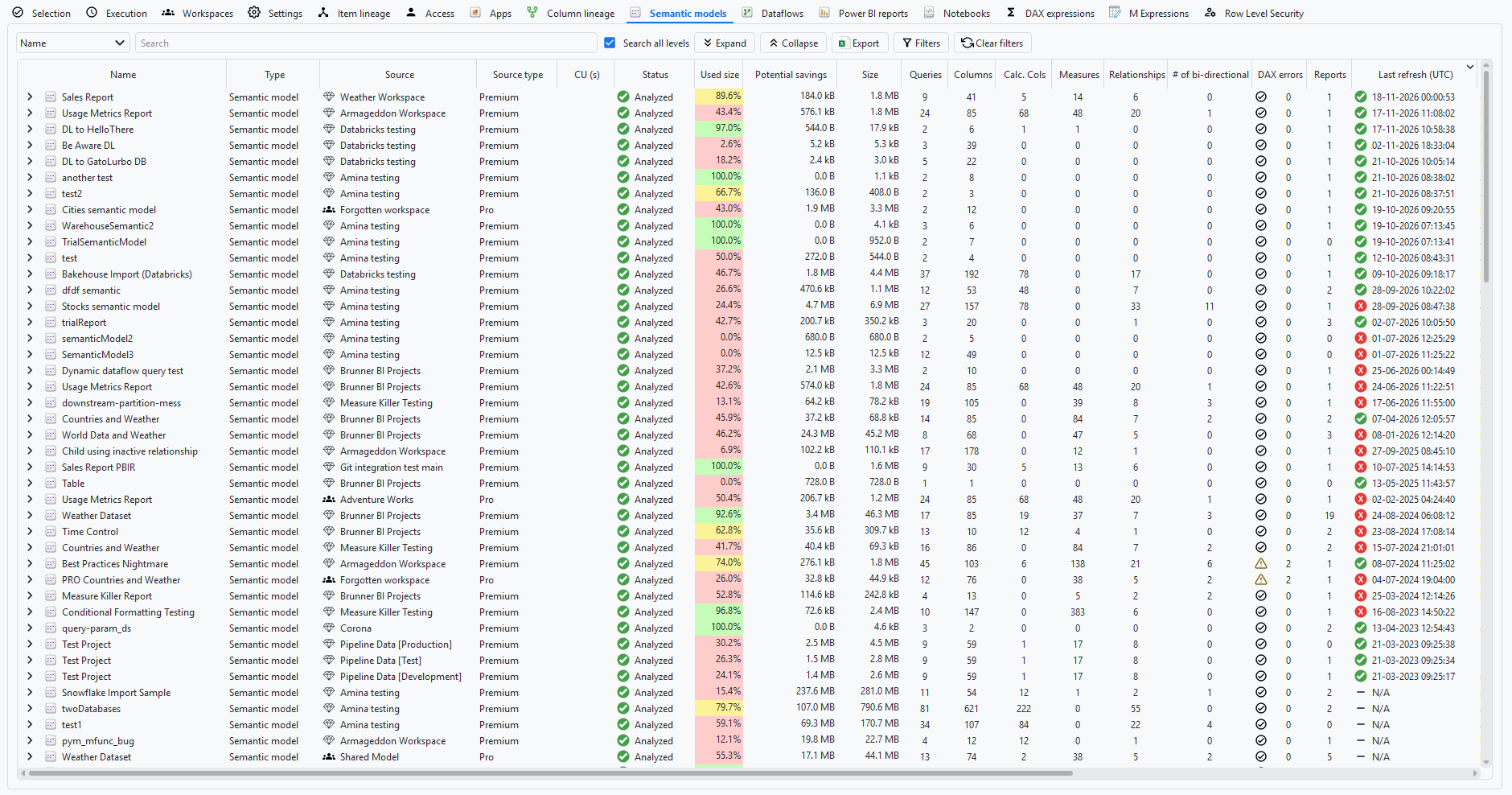
N/A means no refresh is recorded for that model.
Go deeper
Something wrong or out of date on this page?