 Measure Killer
How do I find and safely remove unused measures and columns from a semantic model?
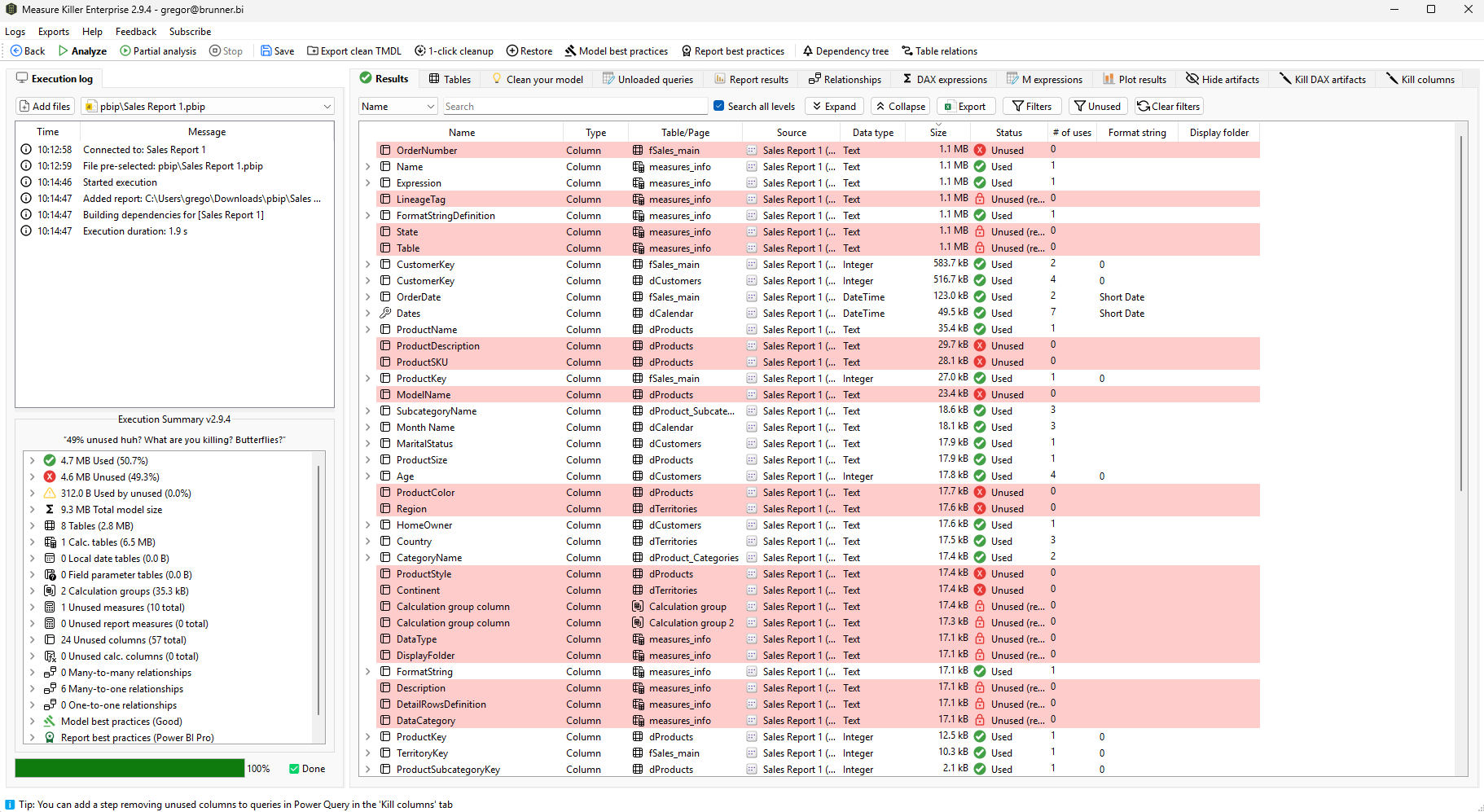
Scan the model with Measure Killer: rows in red are used nowhere in the reports, measures or other consumers in scope. Then remove them with a clean TMDL export, or with the 1-click cleanup over XMLA for models in the Service.
Last updated · November 21, 2026
Steps
- For a file: open it in Power BI Desktop and pick Single model and report (details). For a shared model in the Service: pick Shared model online so every report on the model counts (details).
- Click Analyze. Rows highlighted in red are unused: nothing in the scanned scope references them.
- Before you remove anything, make sure the scan covered every consumer: reports in other workspaces, downstream models and Excel files (what counts as unused).
- Pick a removal method. A clean TMDL export is the recommended one; the 1-click cleanup works over XMLA for models in the Service (which method?).
- Re-scan after the change to confirm nothing broke.
- With a license, open Clean your model for the next round: unused DAX variables, Auto Date/Time, hidden pages and more (details).
What you see
Cleaning up the data underneath instead? See Clean up a dataflow and Clean up a Lakehouse, Warehouse or SQL Database.
Go deeper
Something wrong or out of date on this page?