Measure Killer Measure Killer
New in v2.9.4

Three new ways to simplify your tenant.

Spot duplicate models and reports, and untangle complex relationships — shipped in the latest release.

Semantic model similarity score

Find similar — or even duplicate — semantic models across your tenant.

  • Spot duplicates (100%) and near-duplicates (e.g. 80% similarity)
  • Customize weights: tables, measures, M expressions, other attributes
  • Drill into details: what's identical, what differs

Power BI report similarity score

Same idea as model similarity — but applied to reports.

  • Compare pages, visuals and report-level measures
  • Find duplicate reports across workspaces
  • Side-by-side breakdown of differences

Table relations analysis

Reduce complexity in models with many relationships.

  • See which table can filter another (incl. via intermediate tables)
  • Browse every filter path between two tables
  • Brand-new in v2.9.4
Two use cases

How teams use Measure Killer.

From tenant-wide governance to column-level clean-up — both built on the same scan.

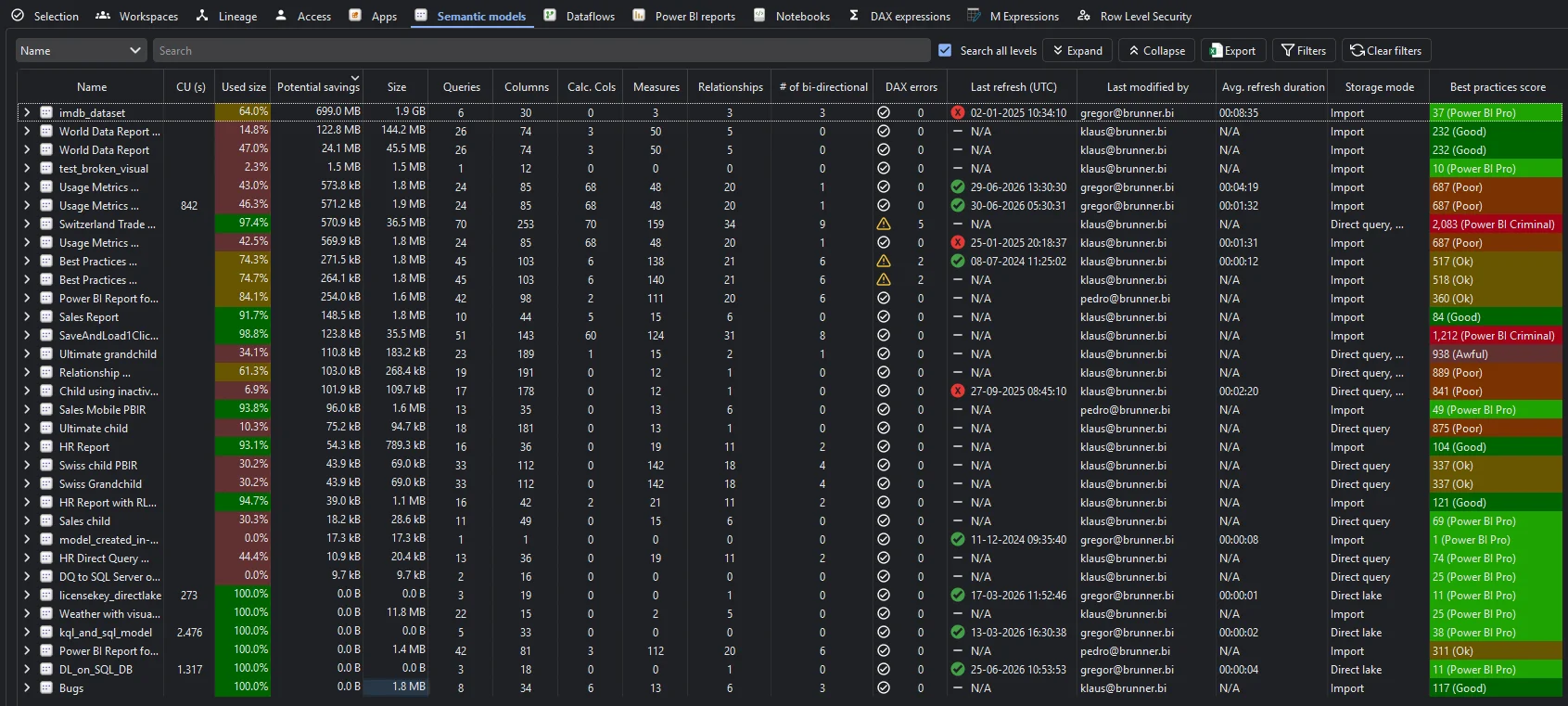
Tenant Analysis Semantic models tab — used vs unused, potential savings, refresh history and storage mode per model
Tenant Analysis

Governance + insights for your whole tenant.

One pane of glass for every Power BI and Fabric item — metadata, lineage, access and usage.

  • Tenant summary: every workspace, item and user
  • End-to-end lineage from data sources to reports
  • Access & permissions audit, incl. AD / Entra groups
  • Refresh, best practices and KPIs for every semantic model
  • Inventory Dataflows, Apps, Reports and Fabric notebooks
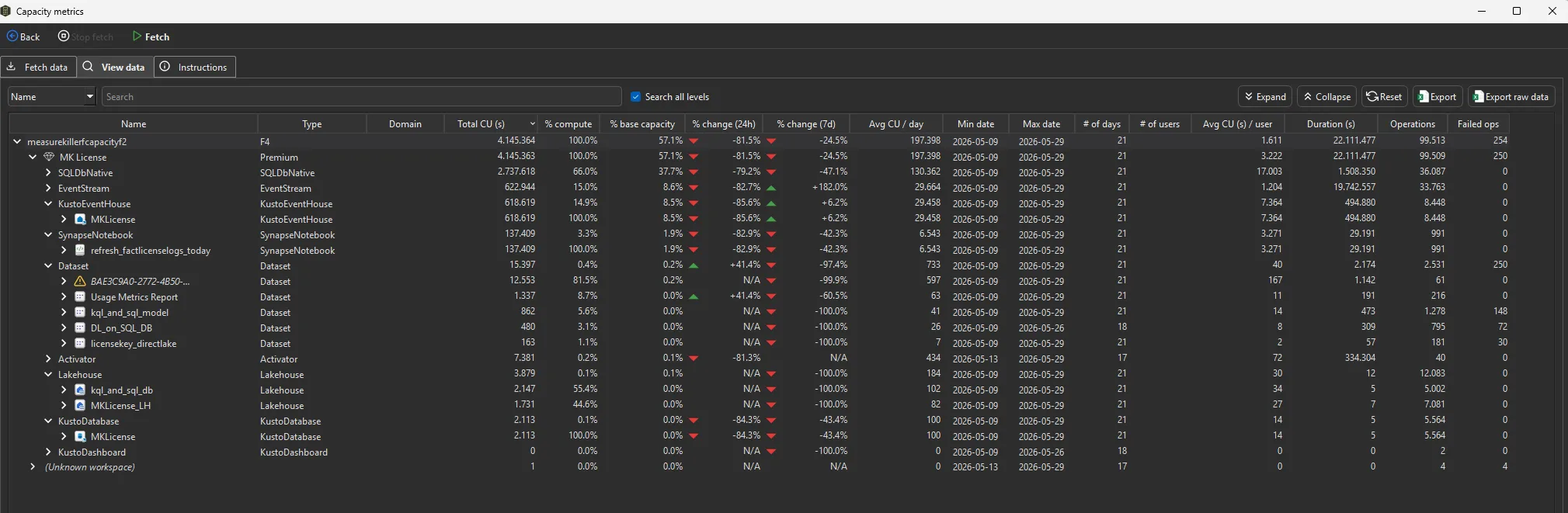
  • Capacity metrics: CU consumption and biggest cost drivers
  • Duplicate detection across semantic models and reports
  • Search every DAX, M and notebook line in seconds
Show all tenant analysis features

Inside Tenant Analysis

  • Tenant summary

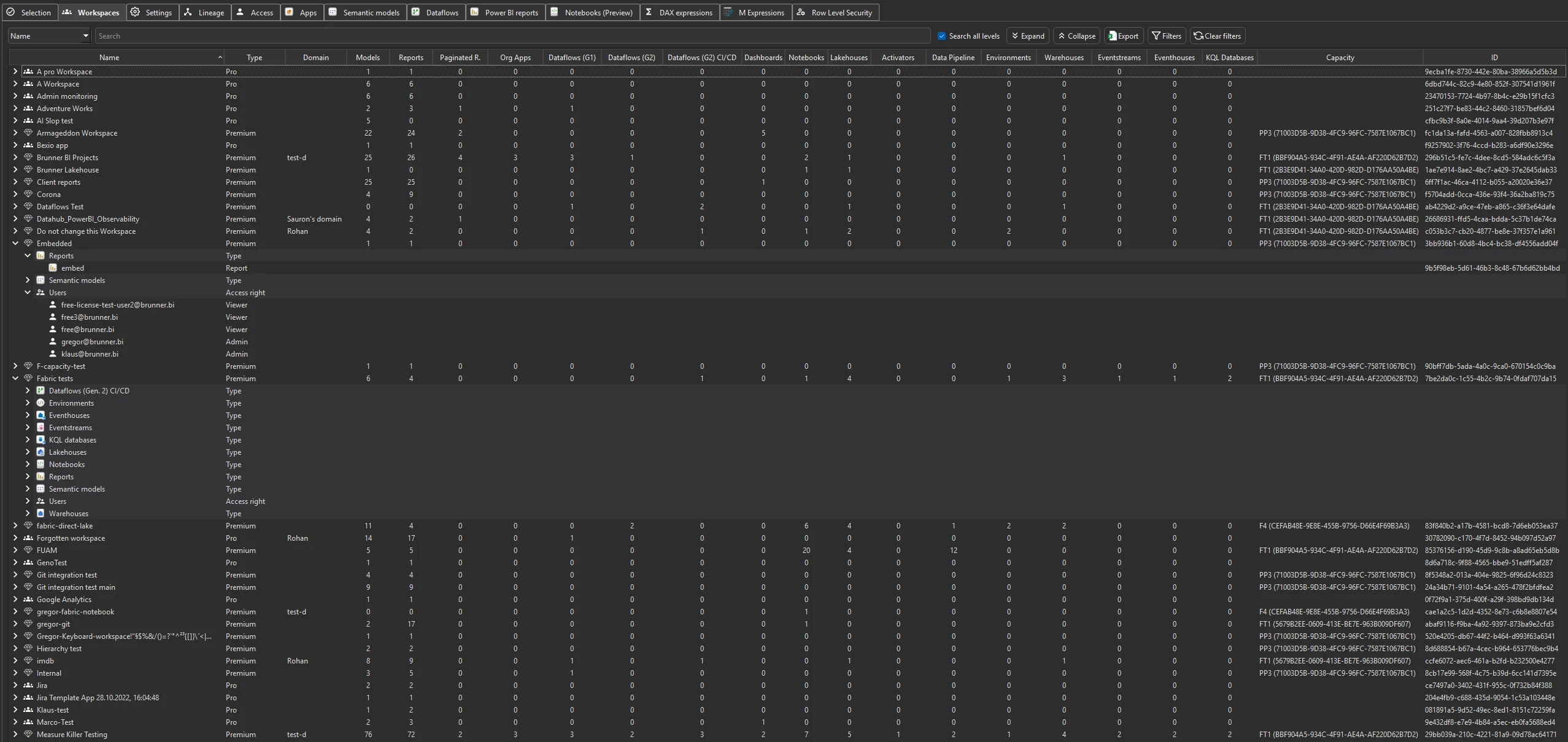
    Every workspace, item and user across Power BI and Fabric — with owners, creation date and last activity, all in one table.

    Tenant summary dashboard
  • End-to-end data lineage

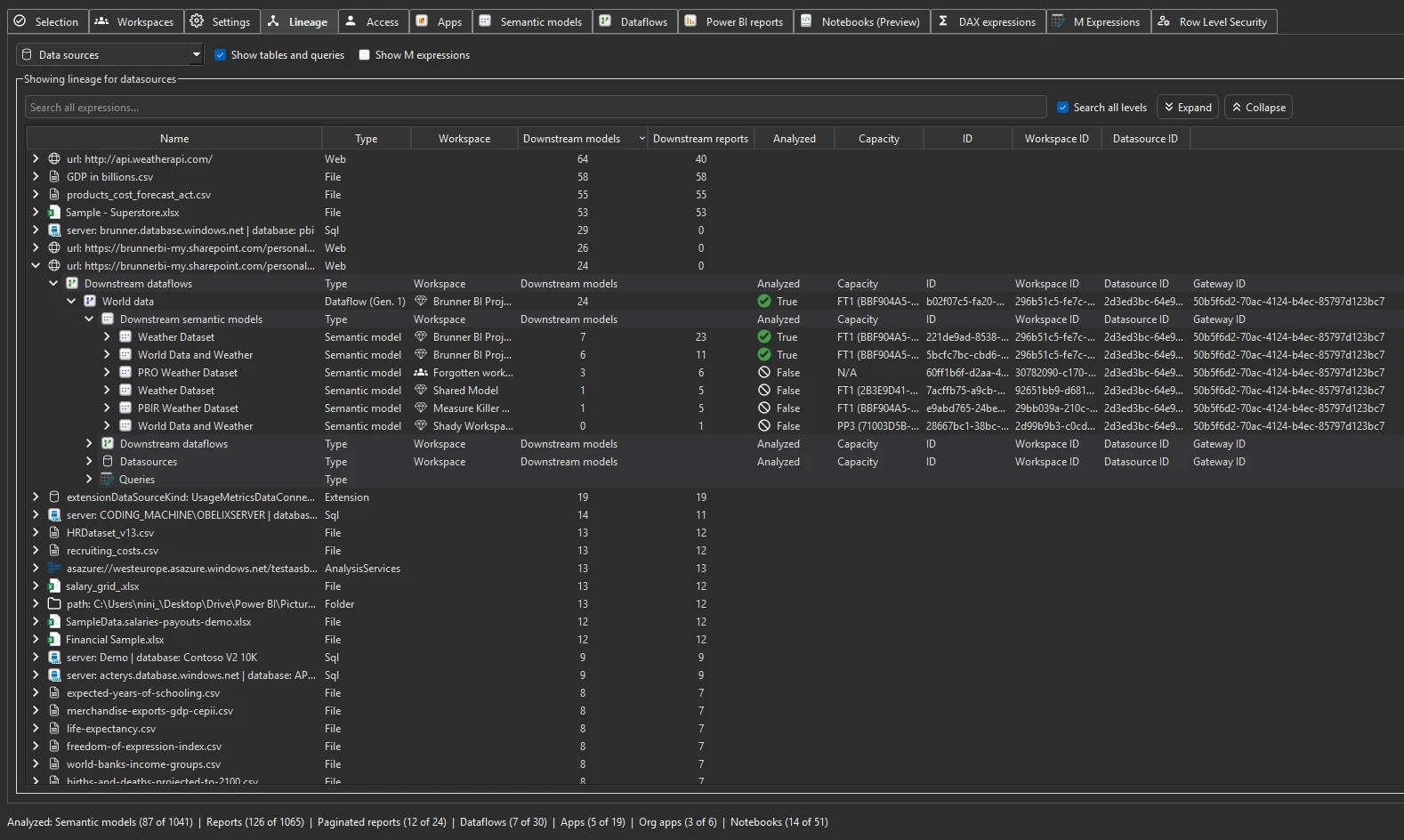
    Trace every dependency from data source to report, across workspaces. Search the lineage view for a specific table or column.

    Tenant-wide data lineage view
  • Access & permissions

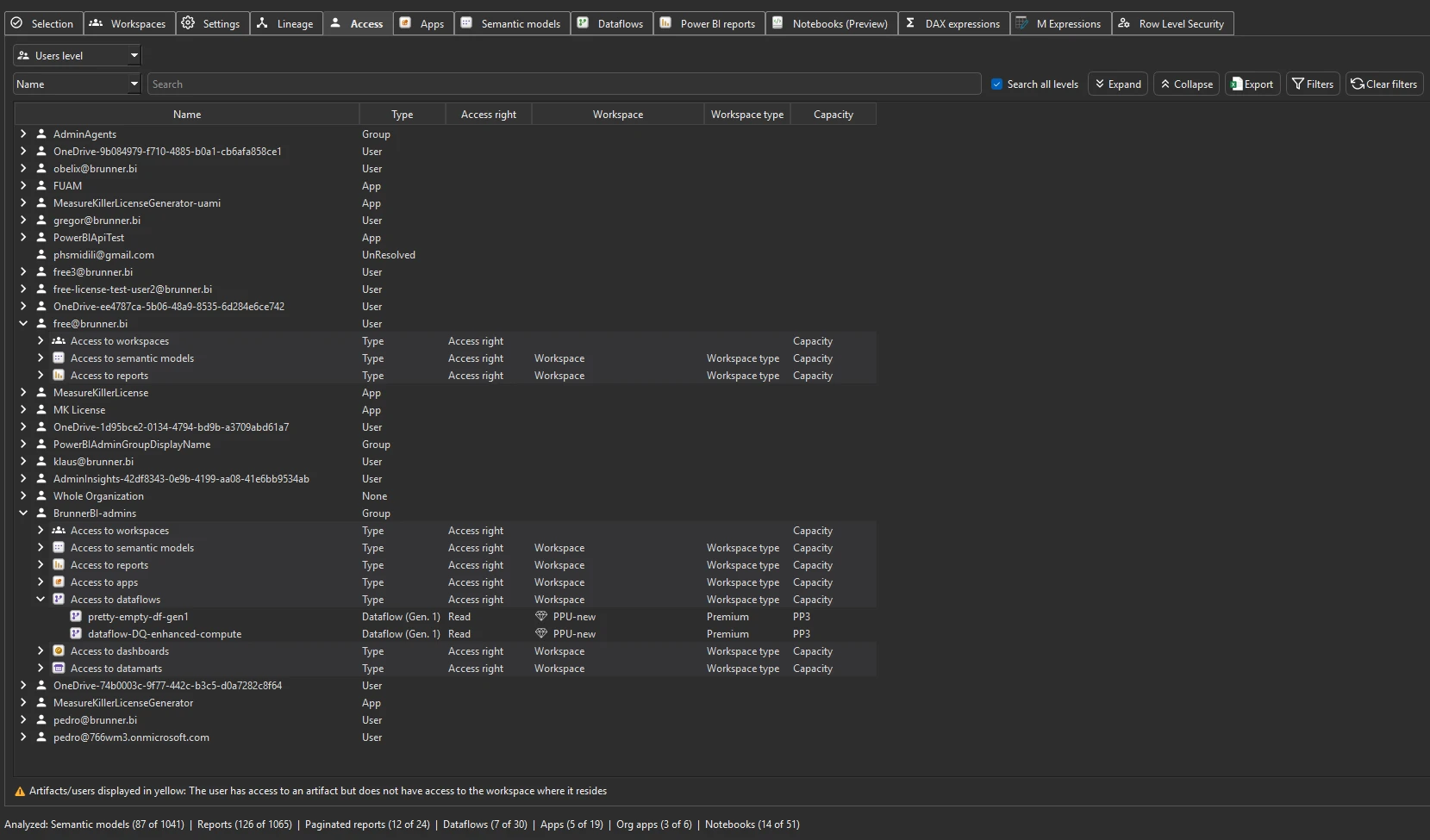
    Workspace and per-item access, with AD / Entra groups expanded so you actually see who has access to what.

    Access and permissions matrix
  • Semantic models

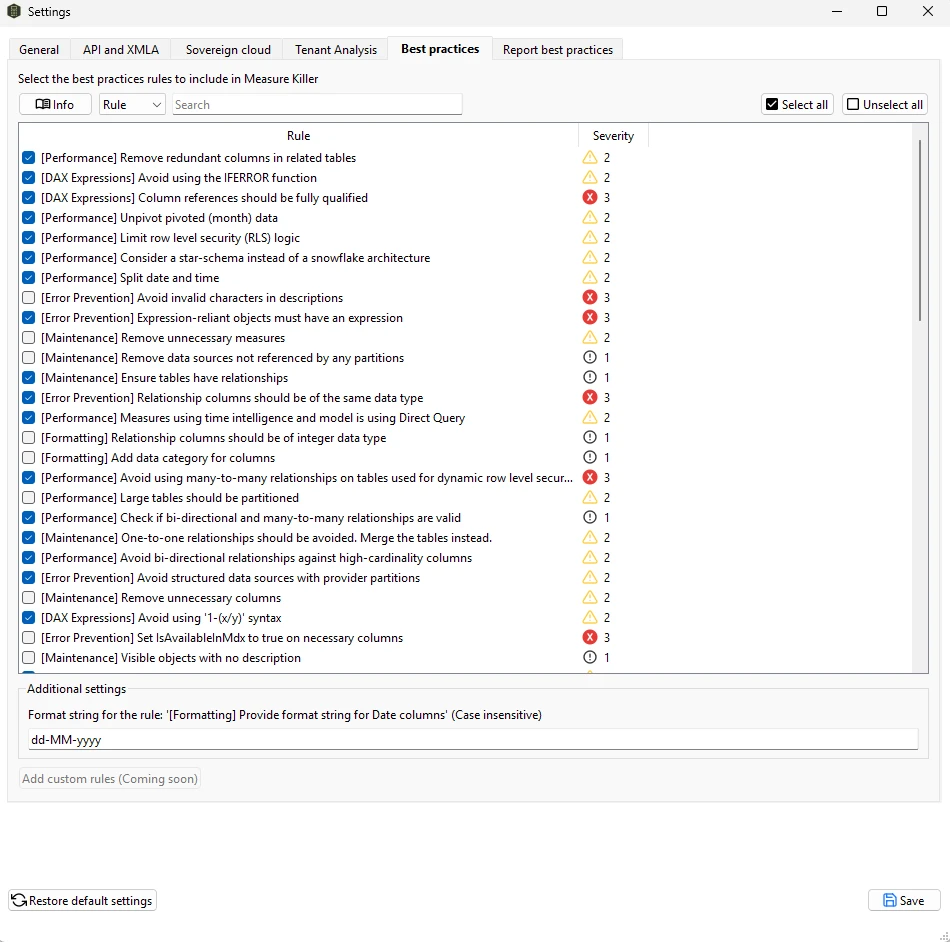
    Refresh history, schedule, average duration, tunable best-practice rules (choose which to run, adjust thresholds), KPI inventory and storage mode for every model.

    Semantic models inventory with refresh and best practices
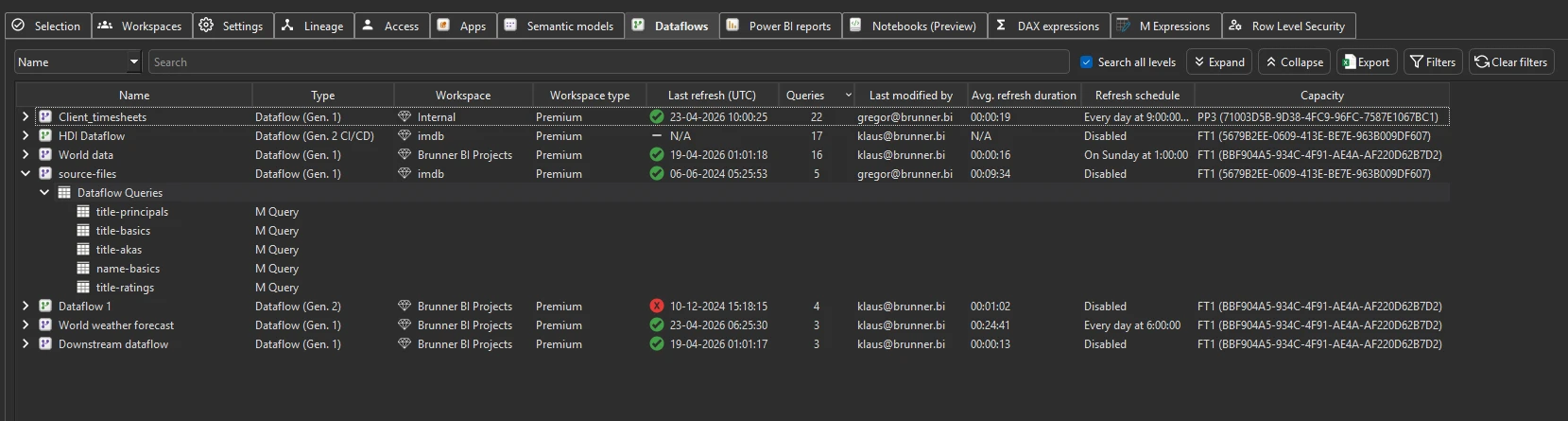
  • Dataflows · Gen1 + Gen2

    Inventory every Dataflow with its M code, refresh stats and number of queries. Search across all M expressions.

    Dataflows inventory across the tenant
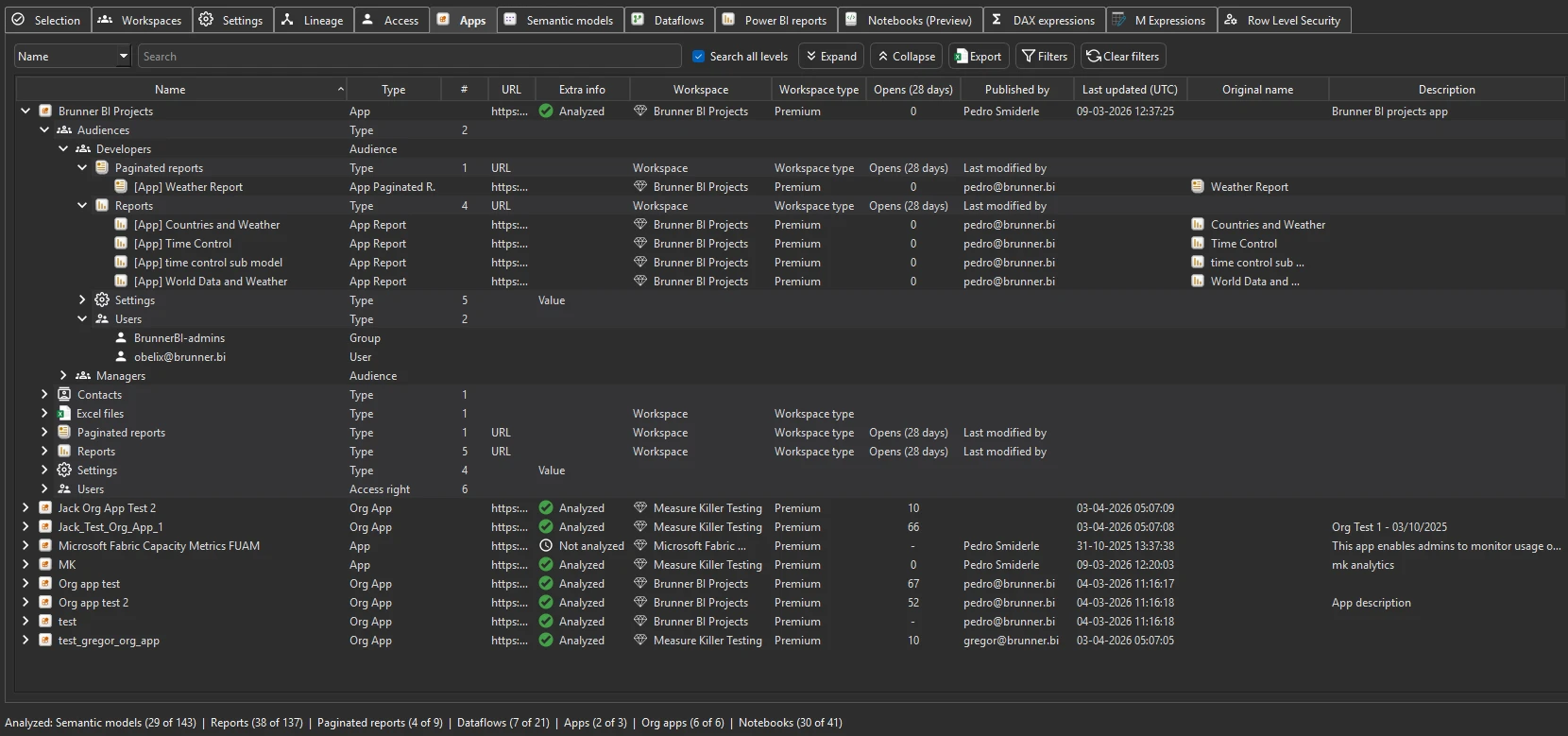
  • Apps & audiences

    All Apps — including organizational Apps — with audiences, 28-day consumption, contacts and access details.

    Apps and audiences tab
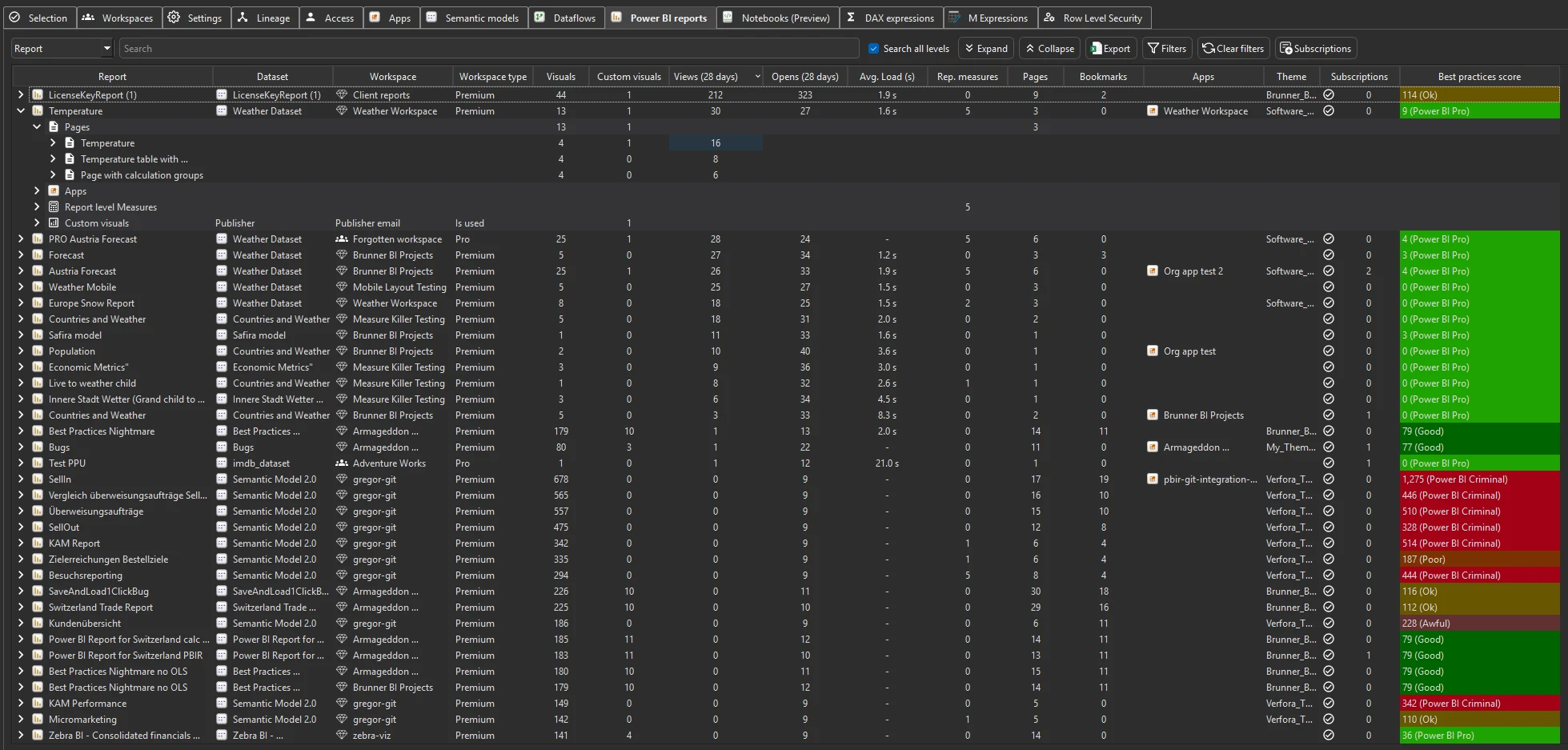
  • Reports · performance & usage

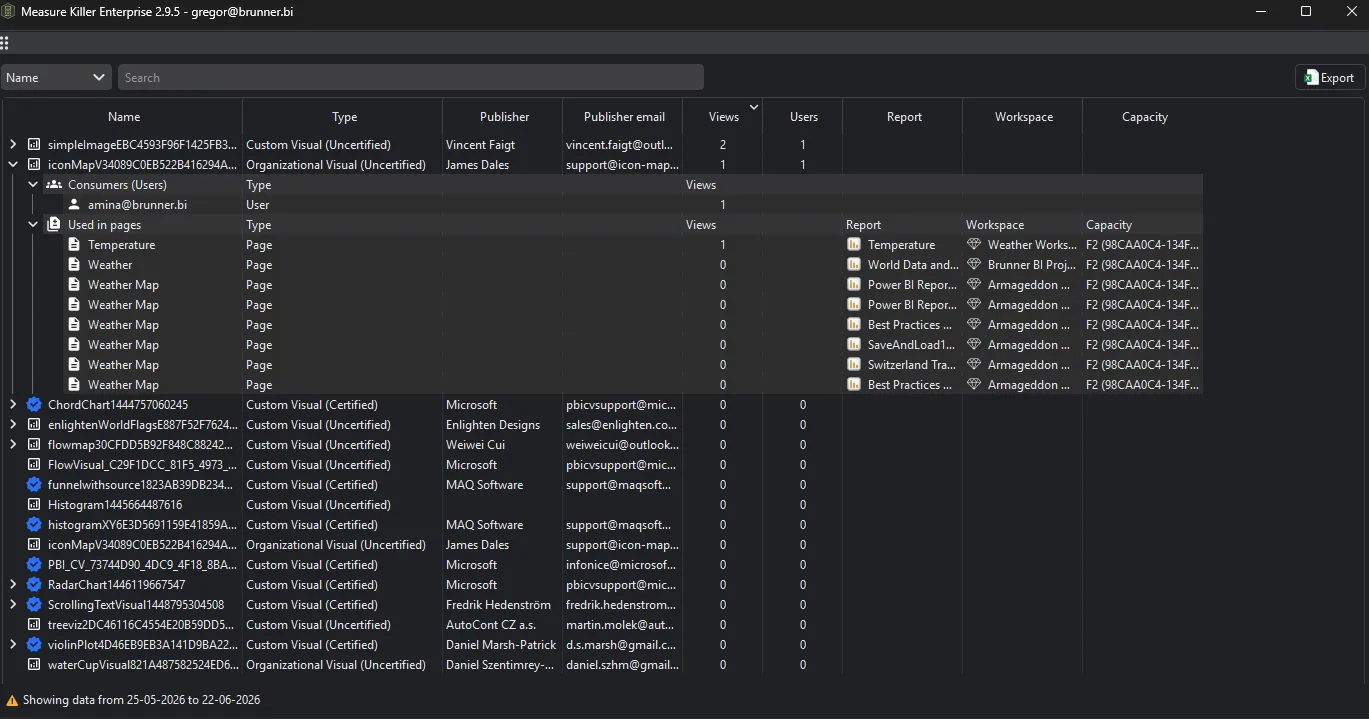
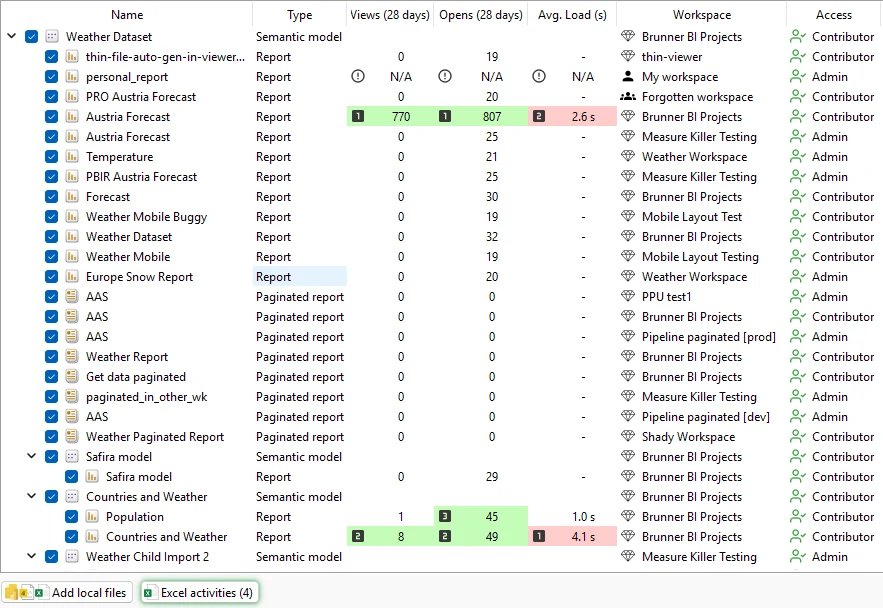
    Views, page views, average load time, certified vs custom visuals, report-level measures and report subscriptions — rolled up per report.

    Report performance and usage metrics
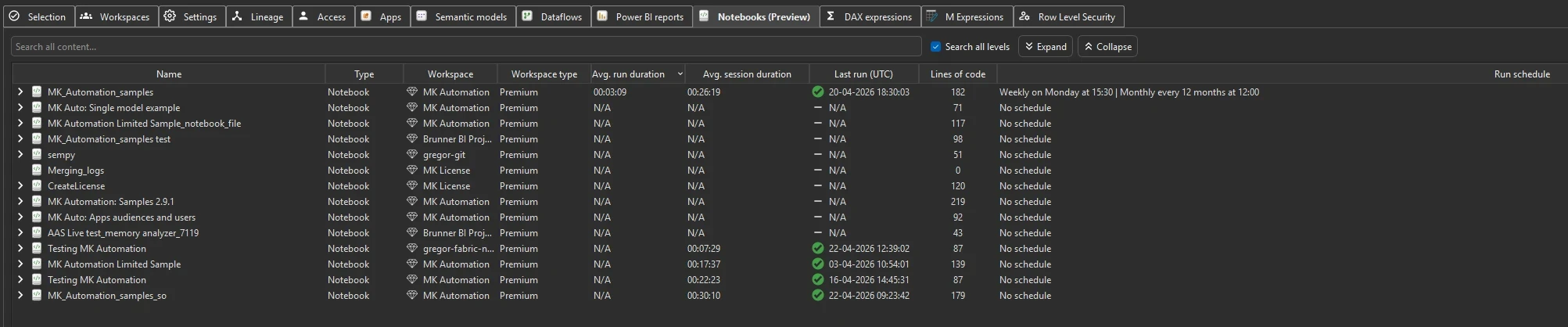
  • Fabric Notebooks

    Locations, access (for admins) and lines of code per notebook. Search every notebook for packages or keywords.

  • Export to JSON for AI or downstream tools

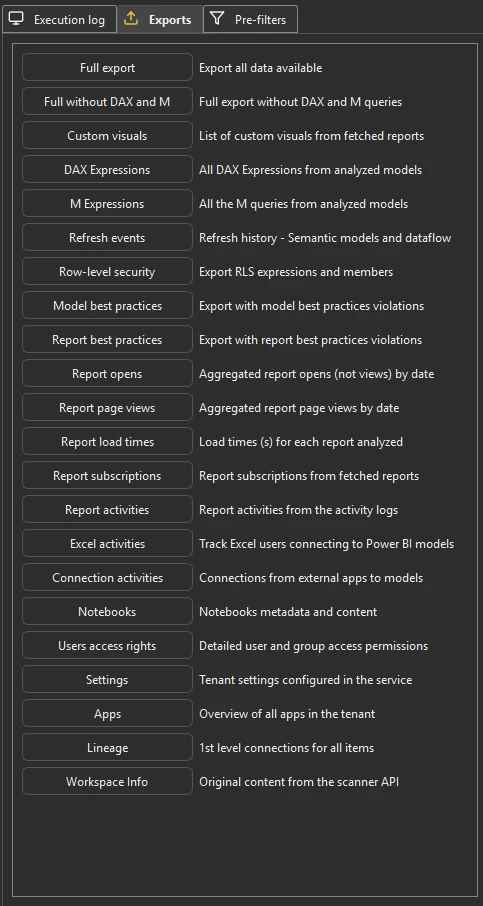
    Every slice of the scan — DAX, M, lineage, refresh events, RLS, best-practice violations, page-level consumption with load times — as raw JSON files. Feed them to a frontier AI for prioritised optimisation suggestions, or pipe them into a governance dashboard. Capacity cost lands in v2.9.5.

    Measure Killer Tenant Analysis Exports sidebar — full list of raw JSON exports including DAX, M, refresh events, RLS, BPA, report opens / page views / load times, activities and more
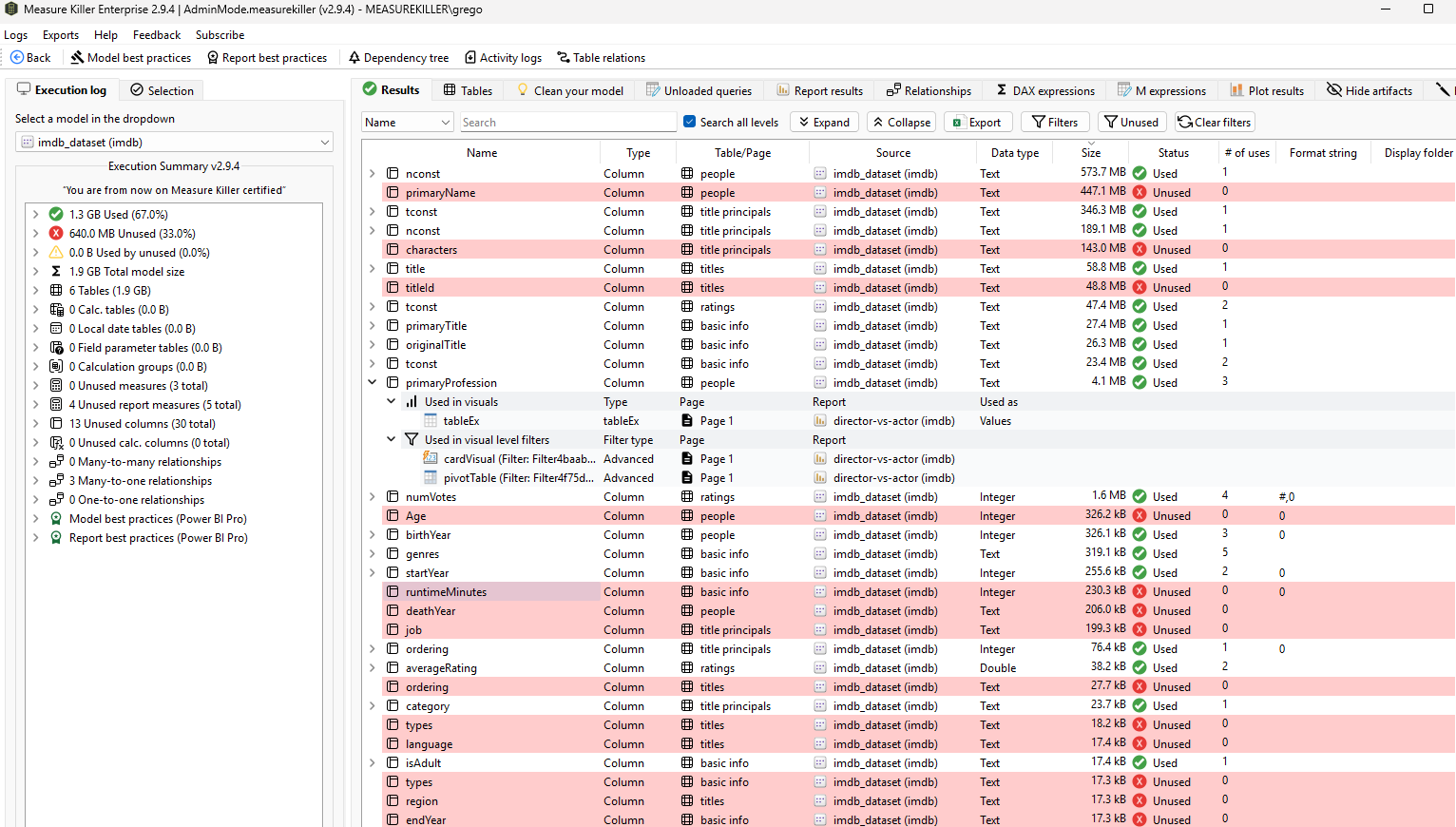
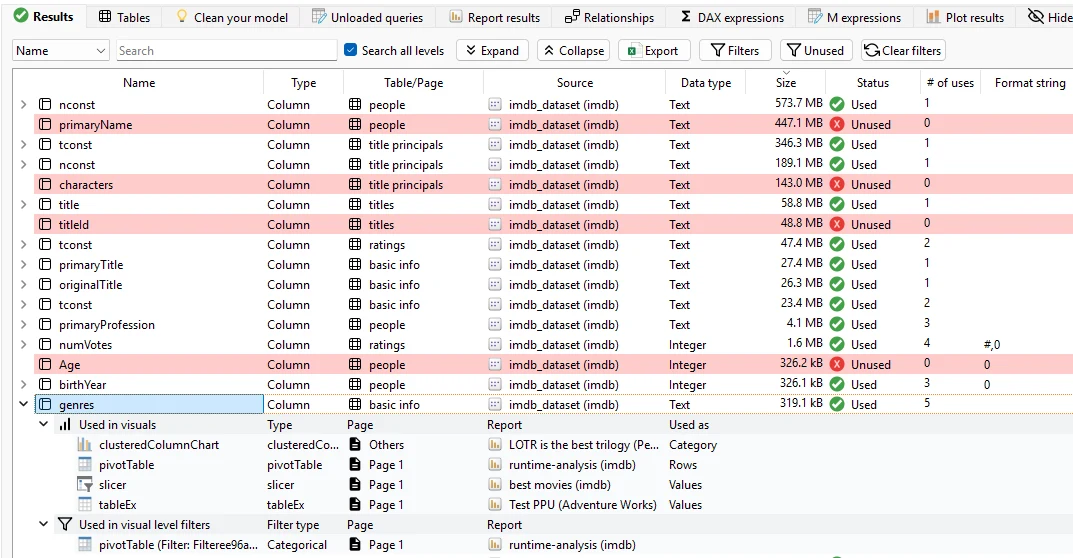
Measure Killer Where-used table — used vs unused columns and measures with consumer breakdown
Used / Unused

Remove the unused. Break nothing.

Industry-best 99.99% reference-detection accuracy keeps cleanup safe — and your reports intact.

  • Spot every unused column, measure and table
  • Impact analysis: see what any change will affect
  • Subtle refs: conditional formatting, tooltips, nested measures
  • Tracks all Power BI reports, paginated, Excel and downstream models
  • From a single .pbix up to tenant-wide scans
  • Shrink model size, refresh times — and Fabric capacity bill
  • Best-practice analysis for implicit measures and anti-patterns
Show everything used / unused covers

Inside Used / Unused

What we analyze
  • Power BI reports (.pbix · .pbip)

    Local files or downloaded from the Service. Visual-level usage, page-level filters, report-level measures and mobile-layout artifacts.

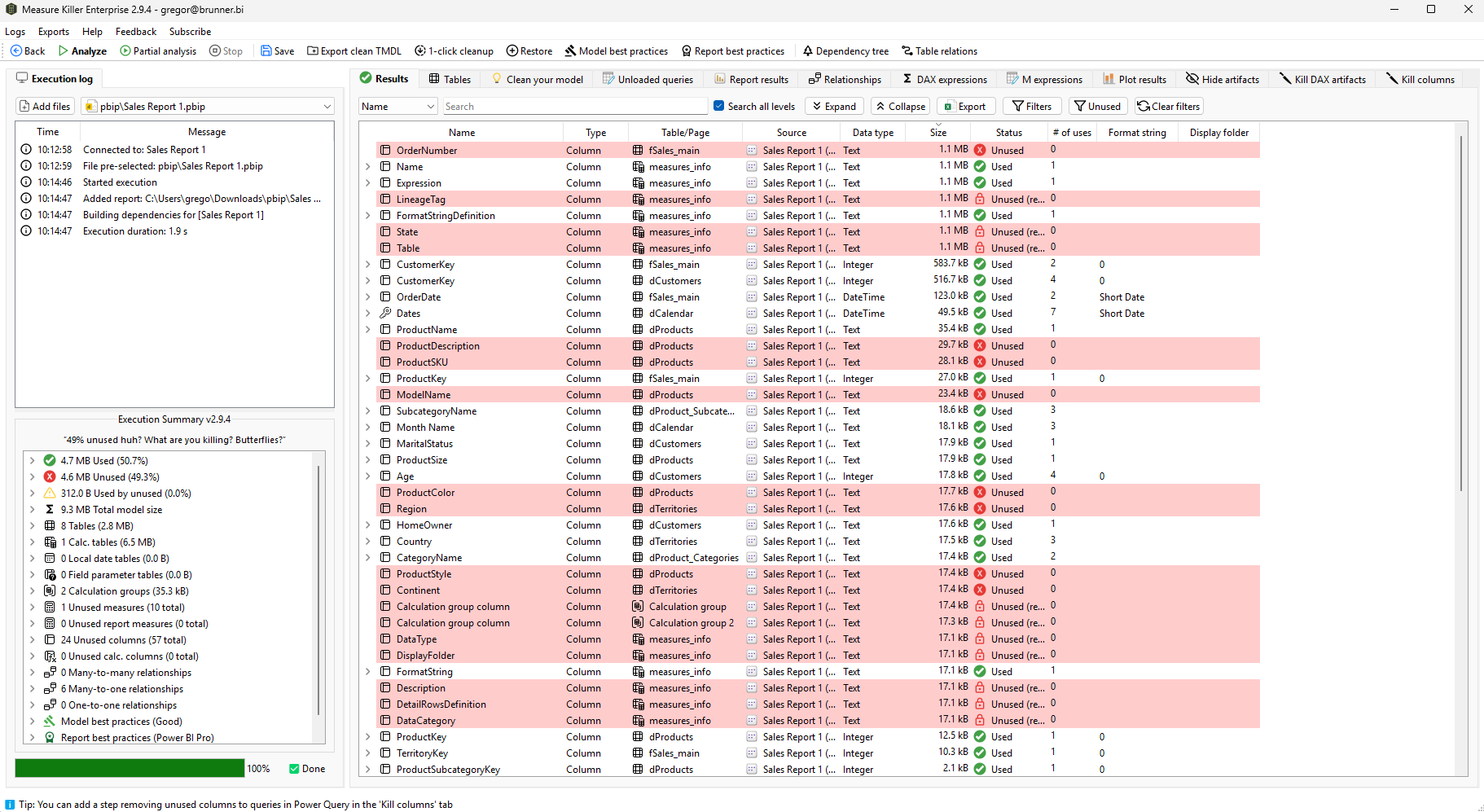
    Measure Killer desktop analysis output — Where-used table with unused columns and measures highlighted in red after scanning a local .pbix file
  • Service reports & shared datasets

    Online thin / live reports analyzed without downloading — composite and child models, personal, Pro and Fabric workspaces. Full downstream lineage from a shared model to every report, Excel pivot and chained model.

    Measure Killer online mode — full lineage tree from a shared semantic model down to every connected Power BI report, paginated report and downstream semantic model
  • Paginated reports

    Same usage detection for paginated reports — parameters, embedded datasets and data sources included.

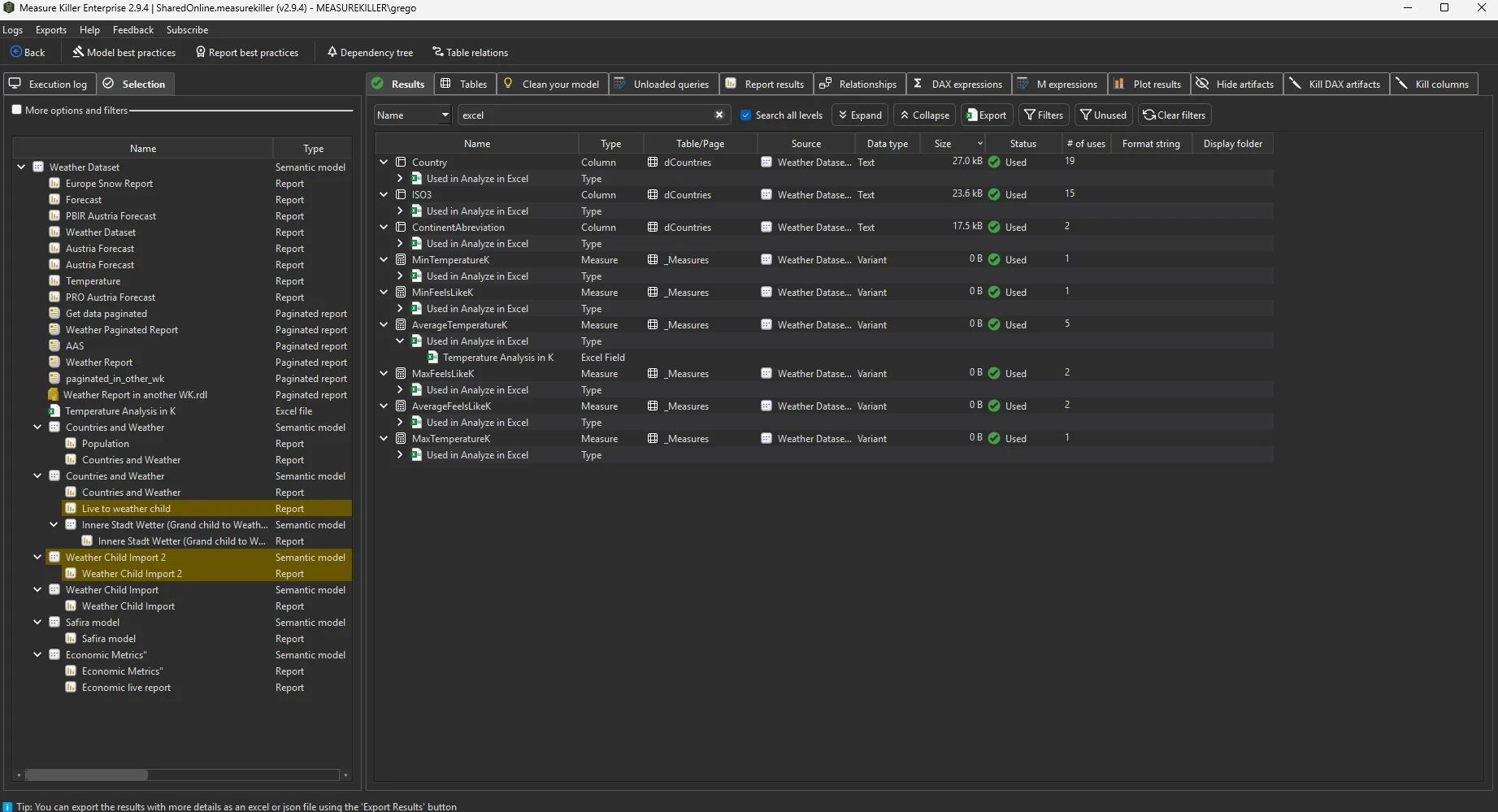
  • Excel files · Analyze in Excel

    Find which columns power your Excel users — pivot tables are detected by querying activity logs.

What we detect
  • Unused columns, measures and tables

    Across every report and model — with statuses like "Used in visuals", "Used in measures" or "Unused".

  • Calc groups · KPIs · field parameters

    Usage tracked for the modern model objects too — calculation groups, KPIs and field parameters.

  • Implicit measures & anti-patterns

    Spot implicit measures, unused calc groups, RLS gaps and other DAX best-practice violations.

  • Column-level lineage

    For any column or measure, see every downstream visual and upstream source — your impact analysis, done.

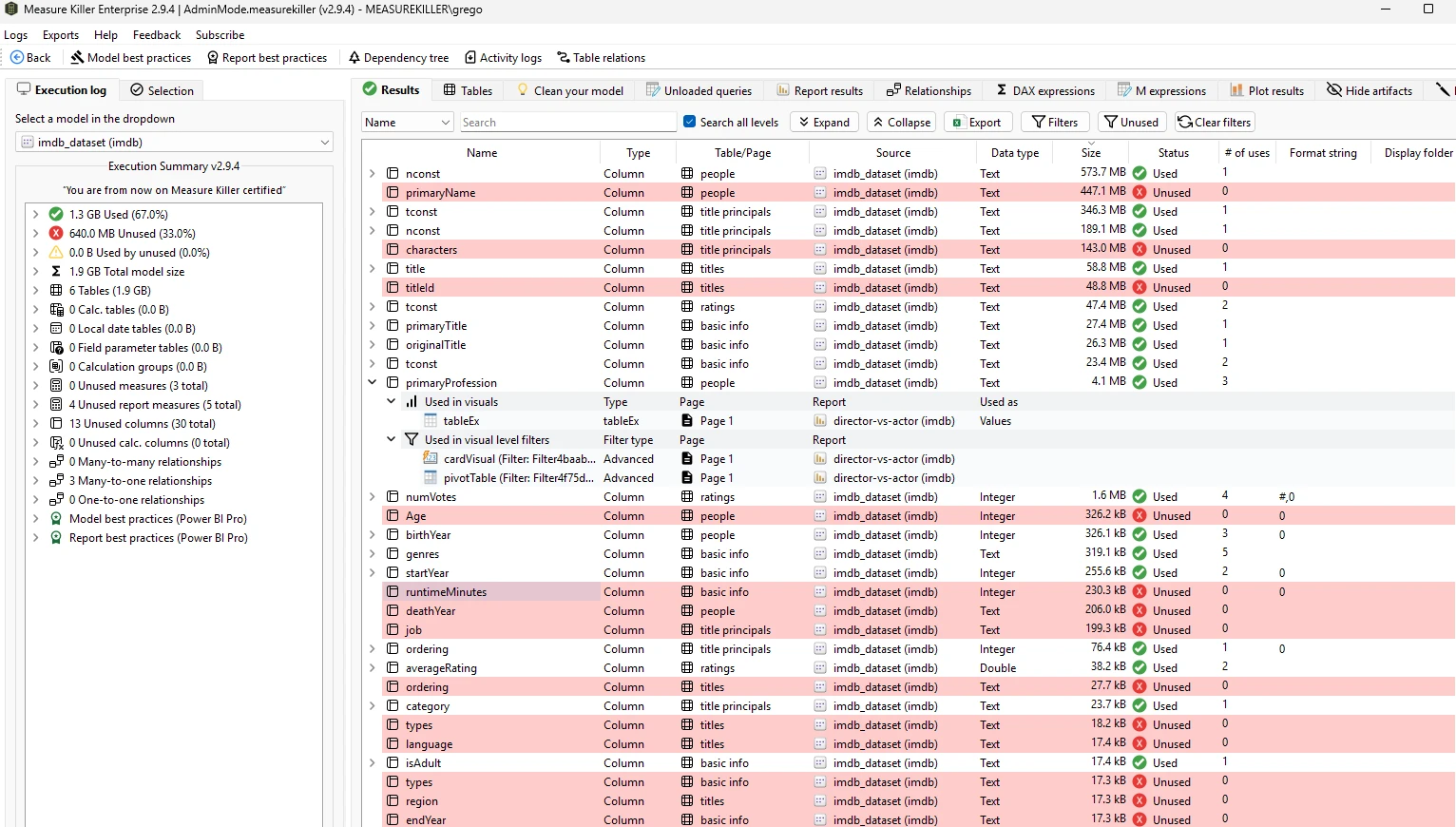
    Measure Killer column-level usage details — every visual, filter, measure and other reference for a single column or measure
What you can do
  • Clean TMDL

    Cleaned TMDL of your model with unused objects removed — the fastest and safest way to optimize a semantic model nowadays. Apply via the TMDL view in Power BI Desktop or the Service.

  • DAX backup & restore

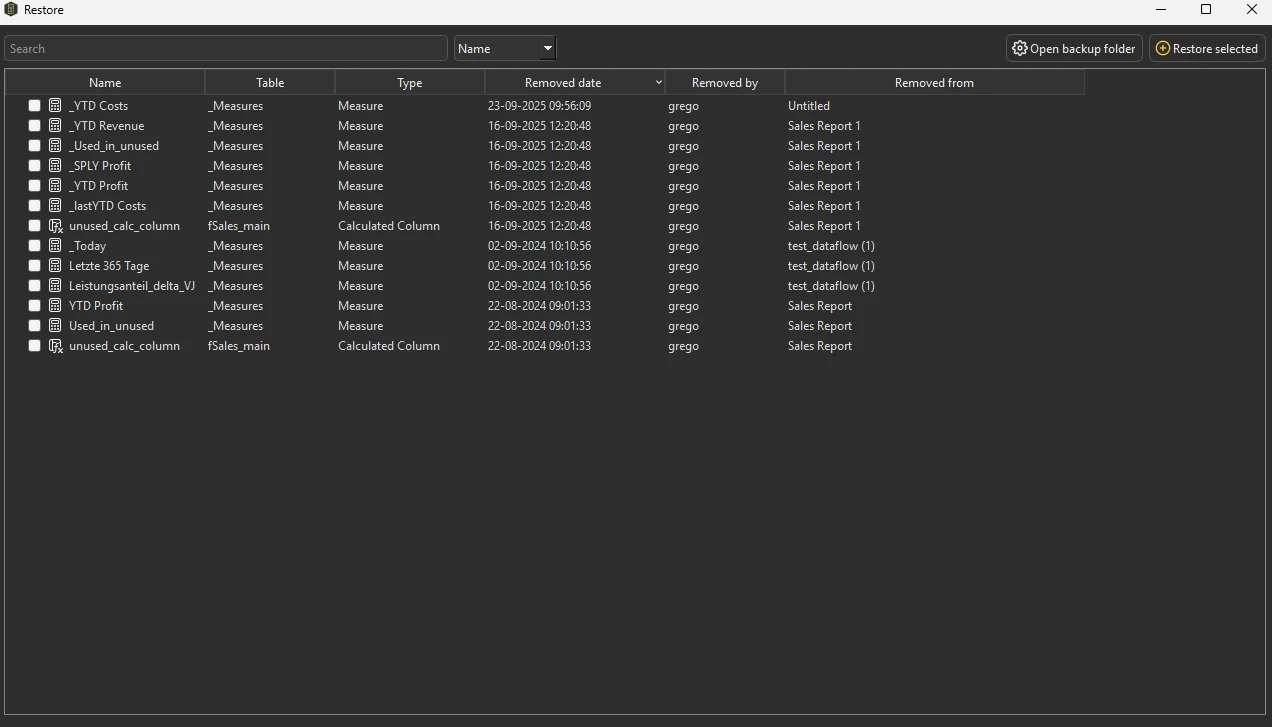
    When Measure Killer removes a DAX measure or calculated column, the expression is auto-backed up so you can restore it with one click. Power Query columns are automatically backed up through an additional step in your M Code.

  • Save & resume an analysis

    .measurekiller files save the full scan results. Exit today, pick up tomorrow — or hand the analysis to a colleague who runs the cleanup under their own permissions.

  • Kill via XMLA — online

    Remove unused objects from semantic models directly through XMLA. No round-trip through Power BI Desktop.

  • Clean your model — advanced optimizations

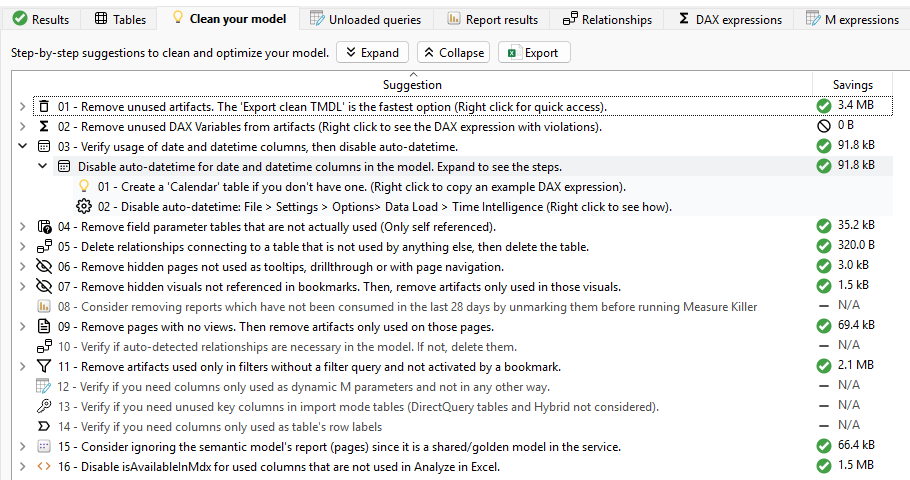
    Step-by-step suggestions to clean and optimize your model — remove unused artifacts, disable auto-datetime, prune unused field-parameter tables, drop hidden bookmark visuals — each with an estimated size reduction so the biggest wins surface first.

    Measure Killer 'Clean your model' tab — numbered cleanup suggestions with per-item size reduction
The full list

Explore every feature.

Scan scope, detection, code search, governance, similarity, cleanup — every capability in one table, with docs linked from each row.

See all features
Free for desktop

Ready to clean up your Power BI?

Download the desktop edition free, forever. No data leaves your machine.

  • Free forever
  • No telemetry
  • MVP-built