 Measure Killer
Find duplicate Power BI reports
Compare Power BI reports across pages, visuals, filters, and bookmarks — a customizable similarity score that turns report sprawl into something you can clean up.
Last updated · June 22, 2026
The challenge
In self-service BI scenarios, it’s common for teams to create new reports for every specific use case, often not checking (or being able to check) if a similar report already exists.
Over time, this leads to a sprawl of similar reports that differ in filters, visuals, or formatting. Having so many similar reports increases the risk of losing control and creating a ton of redundancy.
Even with the PBIR format, pinpointing the main differences between reports is difficult and usually limited to comparing two reports at a time. That makes the approach hard to scale and ineffective at objectively measuring report similarity.
How Report Similarity works
Report Similarity evaluates reports across multiple attributes and assigns a similarity score to each comparison. This score tells you how closely two reports resemble each other, while still letting you drill into the exact differences that contribute to that score.
The comparison includes attributes like:
- Name
- Description
- All pages
- All custom visuals
- All report-level measures
- All filters (report-level, page-level and visual-level)
- All bookmarks
- And many more traits
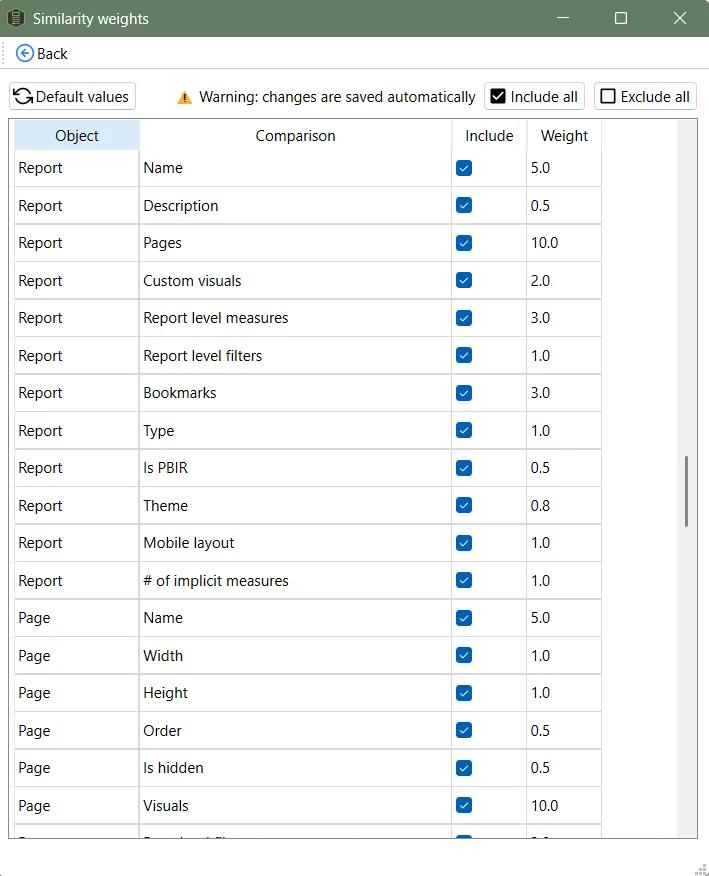
Each attribute can be disabled or enabled and different weights can be set to rank their importance — allowing comparisons in almost any way you can think of.
Run the analysis
Prerequisite: You need a completed tenant or workspace scan before you can compare reports. Report Similarity is computed from the metadata that scan collects. If you haven’t run one yet, follow Run a tenant-wide scan first — that doc also explains the difference between Tenant Analysis (Fabric Admin, full tenant) and Limited Tenant Analysis (Workspace Contributor, scoped to your workspaces). Make sure you include every report you want to compare in the scan — reports that weren’t scanned won’t appear in the similarity view.
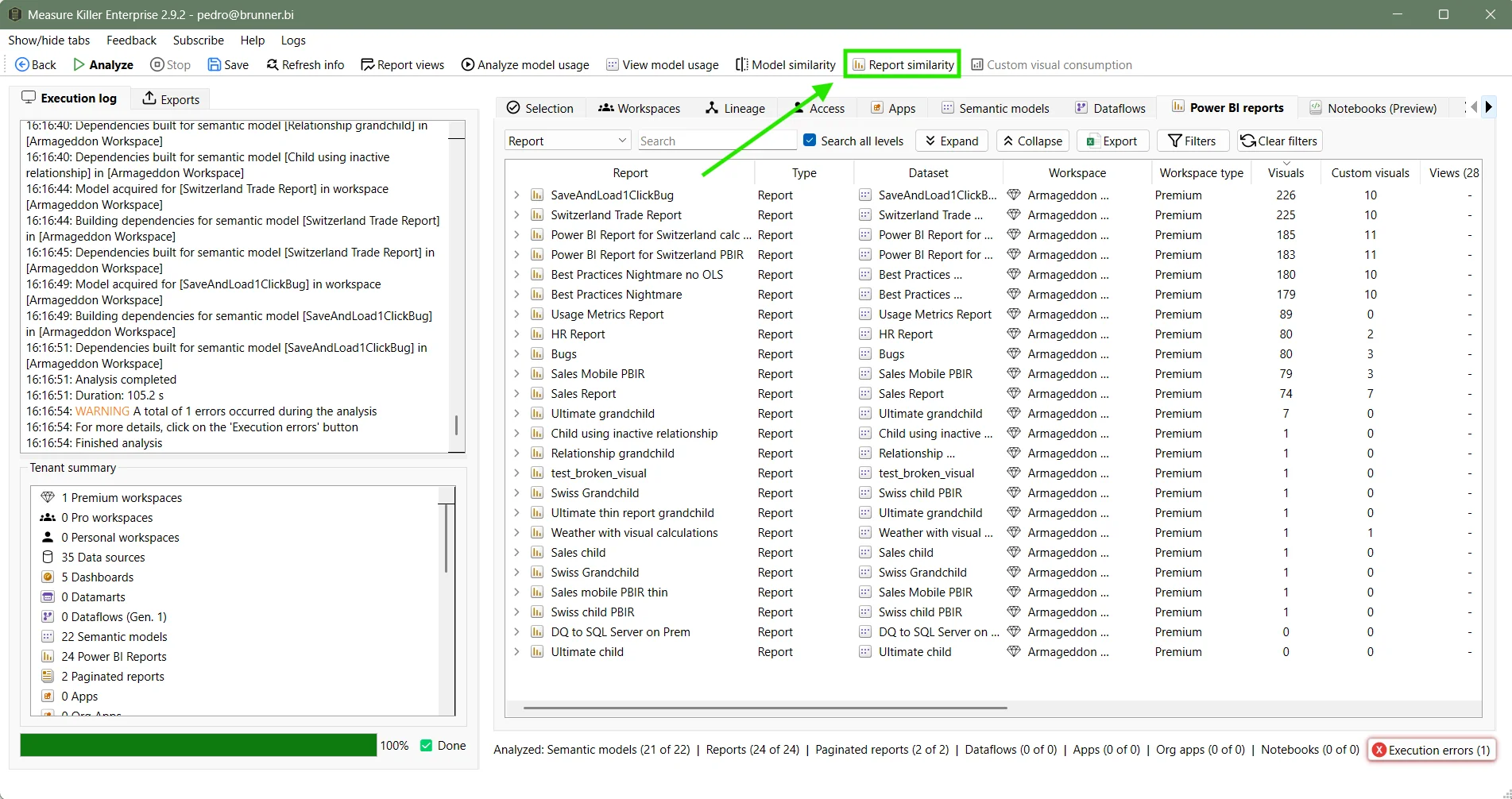
Once the scan finishes, click the Report similarity button in the top toolbar. The button is only enabled after at least one report has been analyzed via the Selection tab.
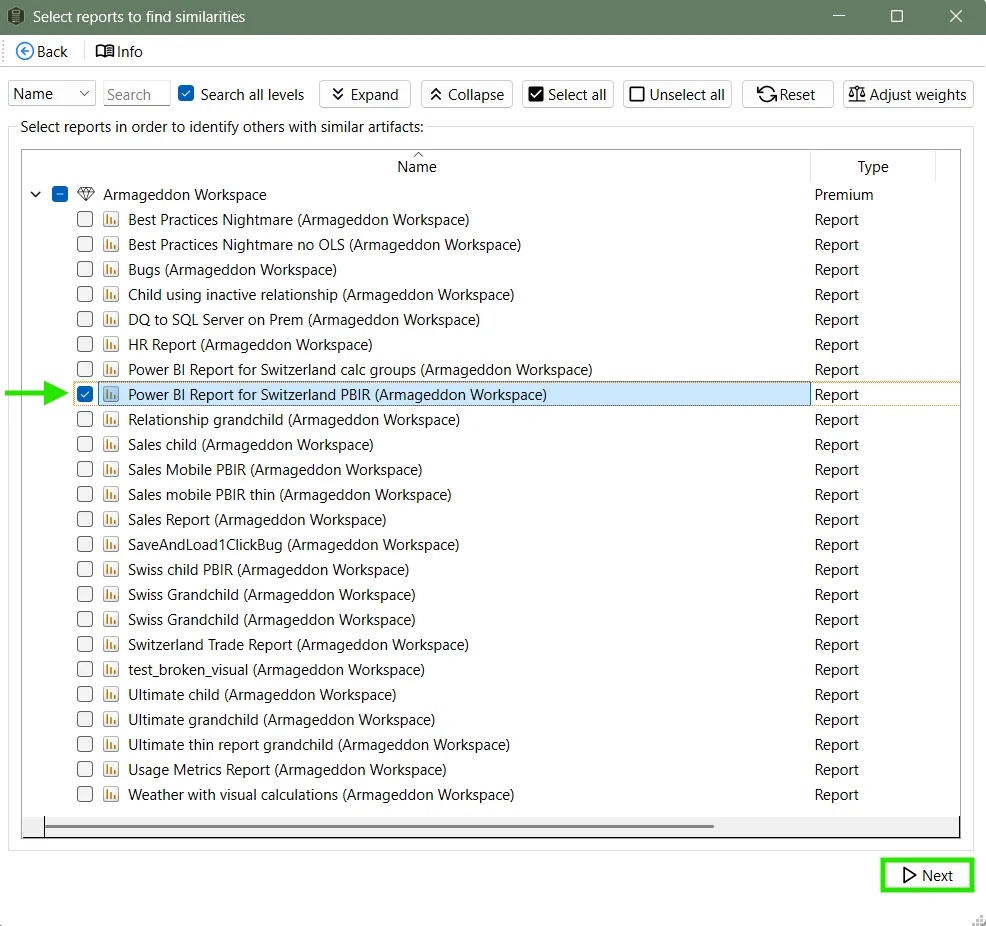
Select the reports you want to find similar ones for:
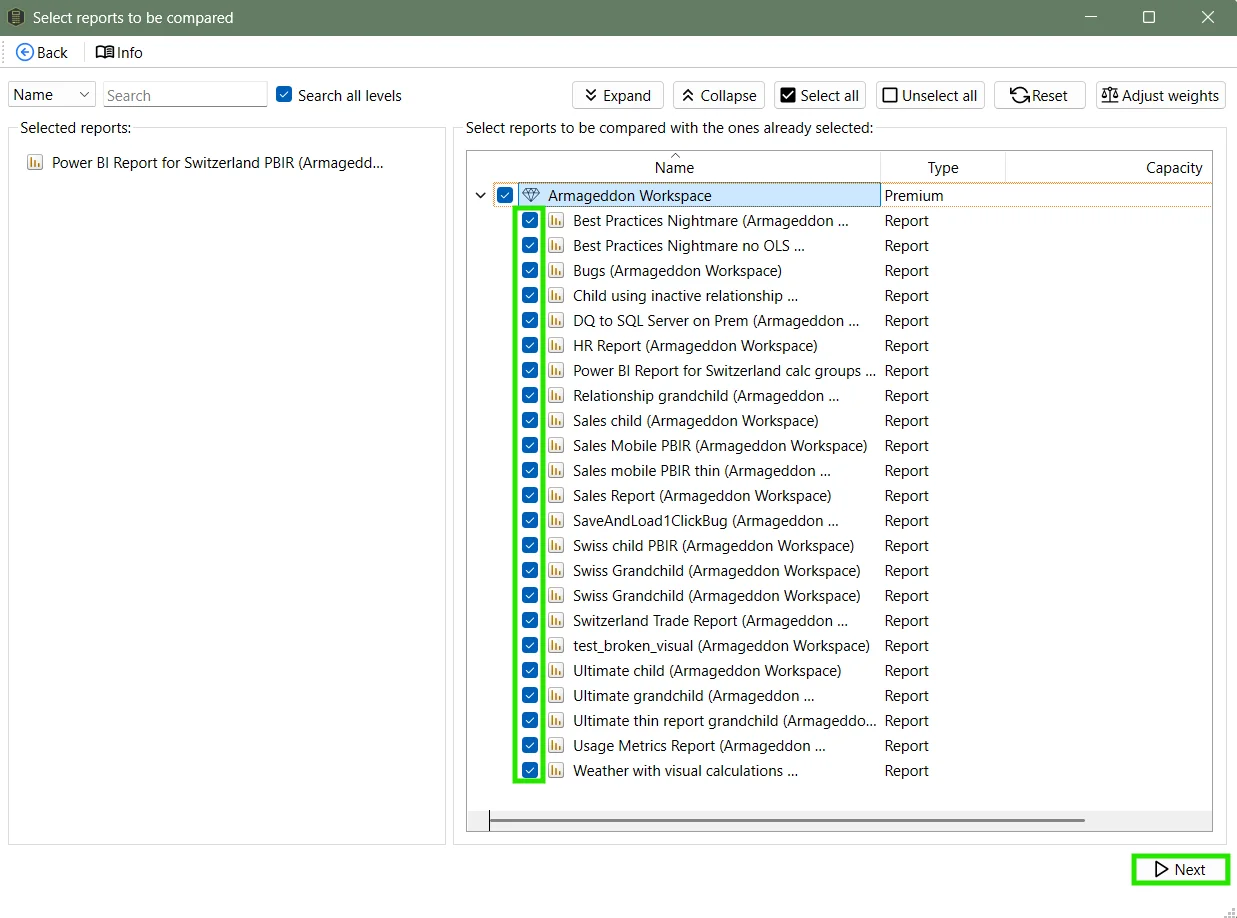
In the next window, select which reports to compare against. You can select all available reports, or narrow it down to specific workspaces.
Interpreting the results
Measure Killer assigns a similarity score between every pair of reports. The higher the score, the more similar the reports are.
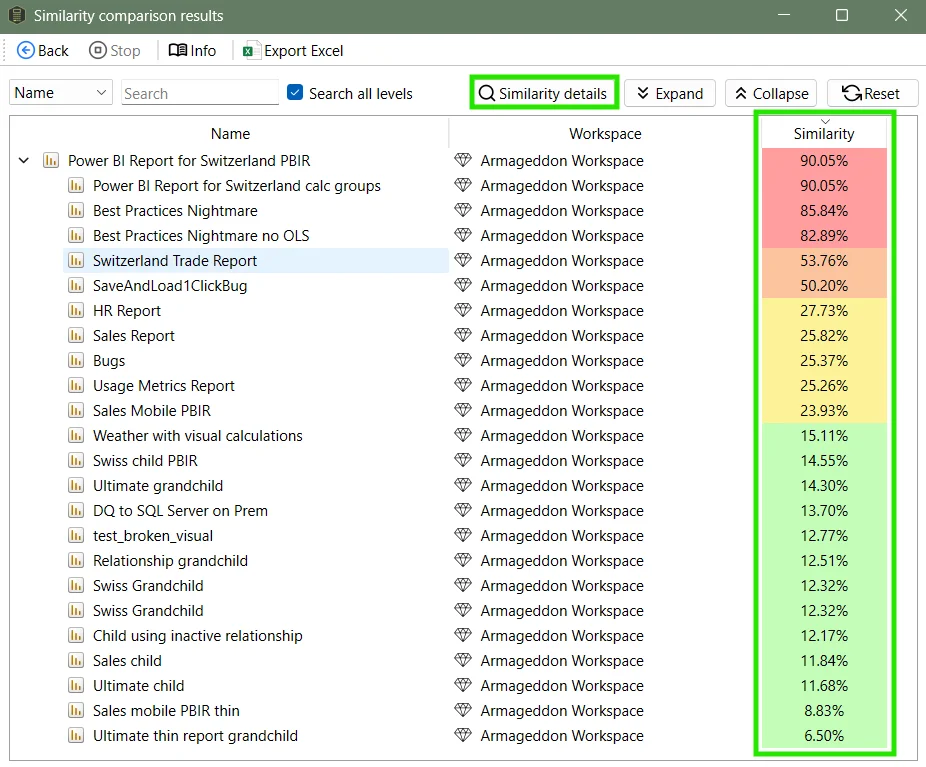
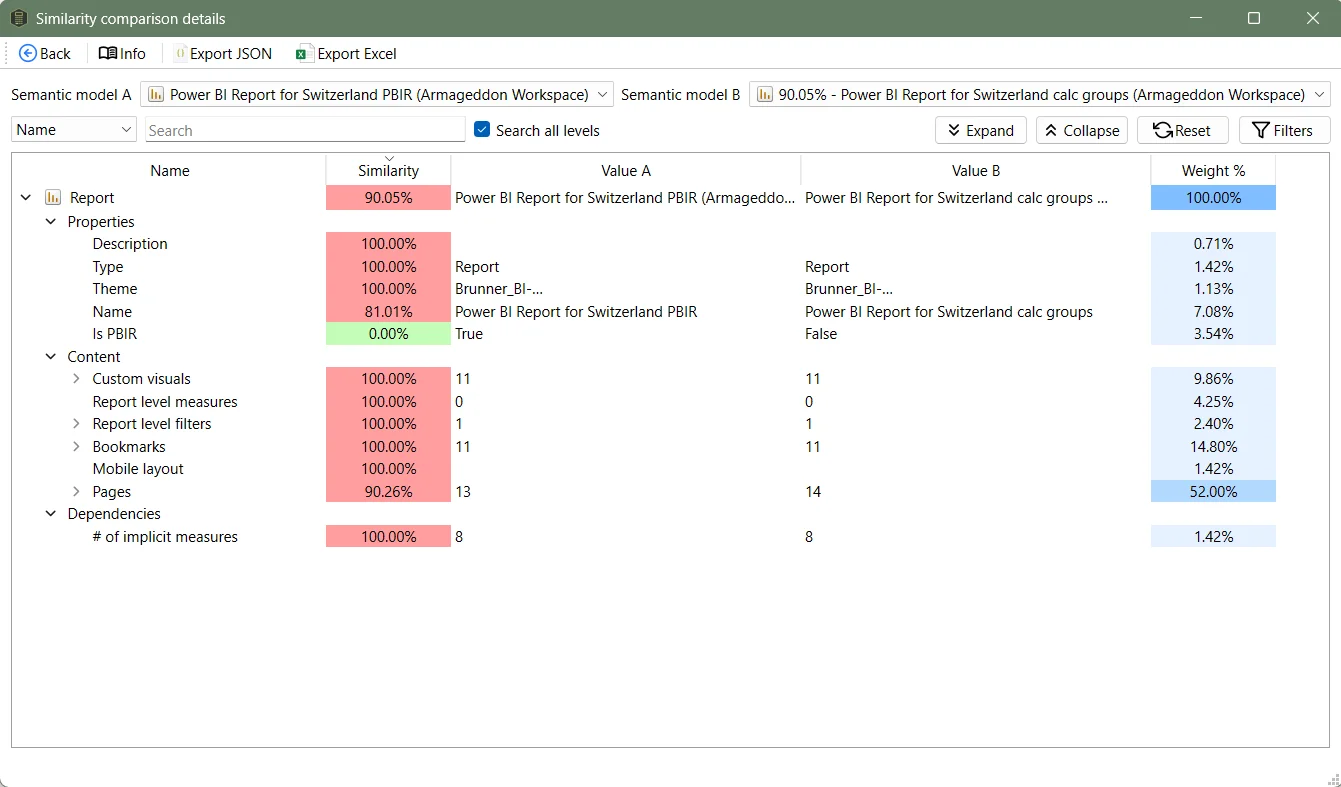
Similarity scores use a red-to-green color scale, with red signaling high similarity — which is typically a bad sign. Open Similarity details to see exactly what’s the same and what’s different:
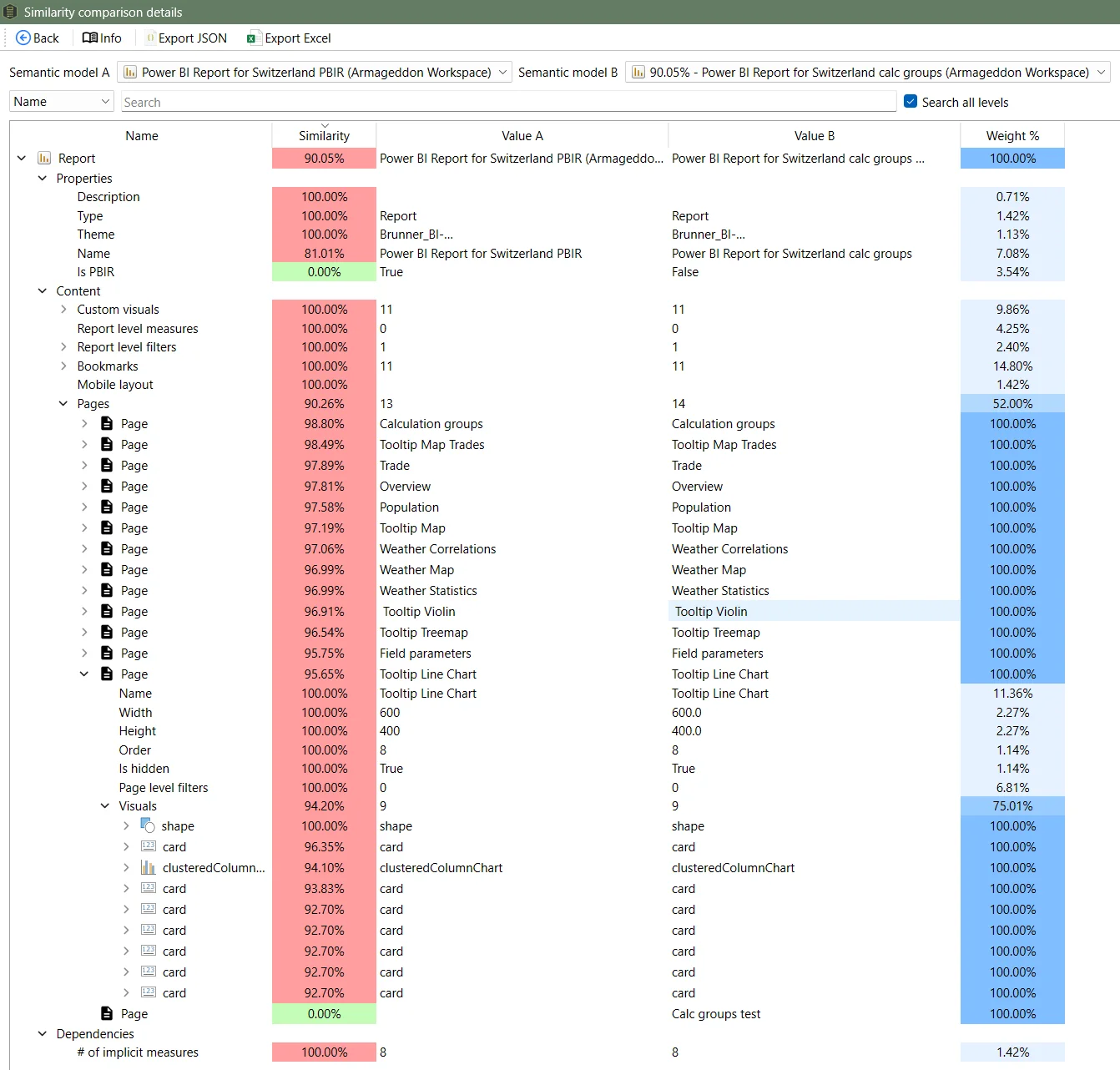
Expanding items shows the small differences between near-identical reports:
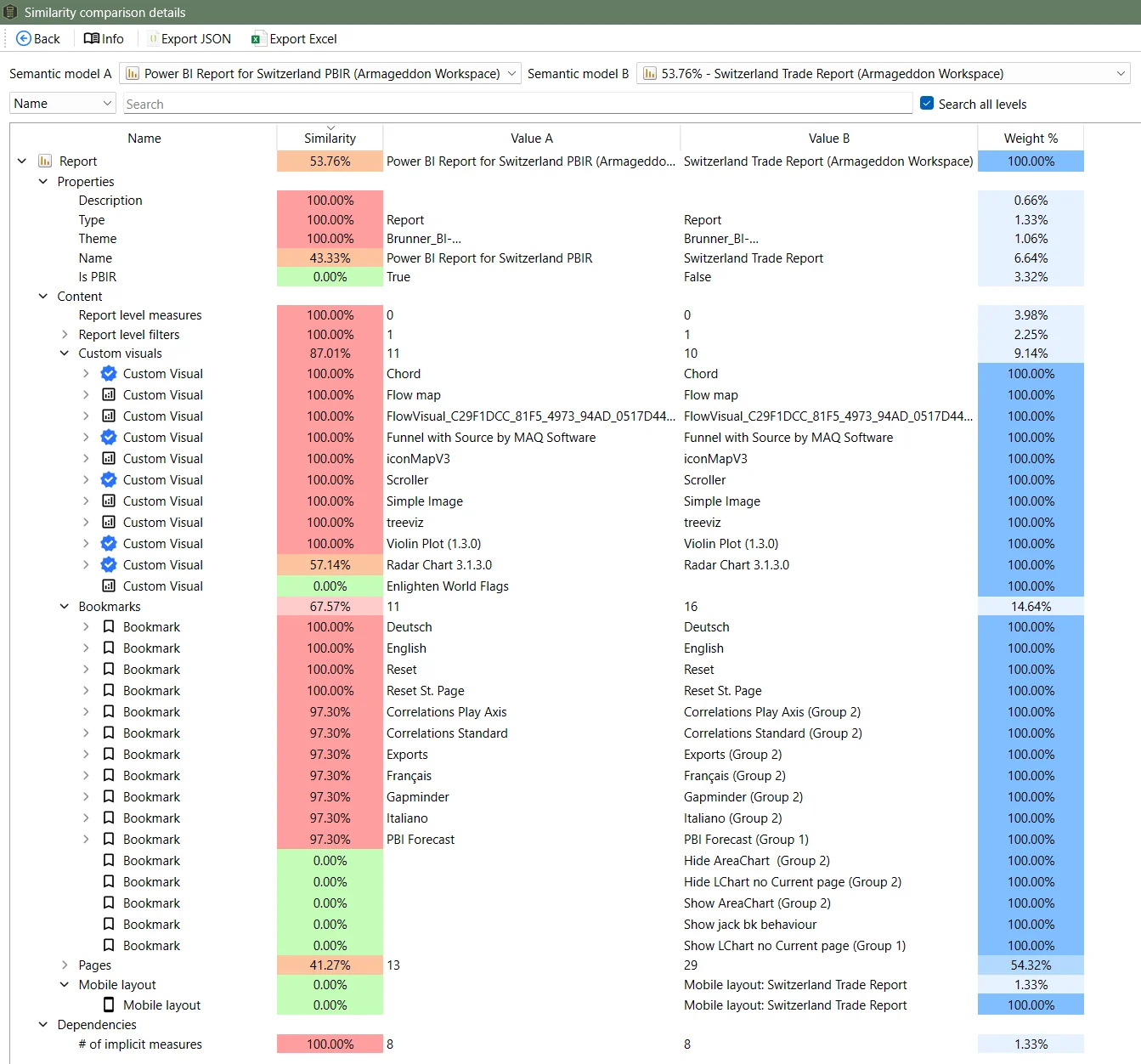
When comparing with a more different report, you can see differences for custom visuals, bookmarks and the mobile layout:
Customizing weights
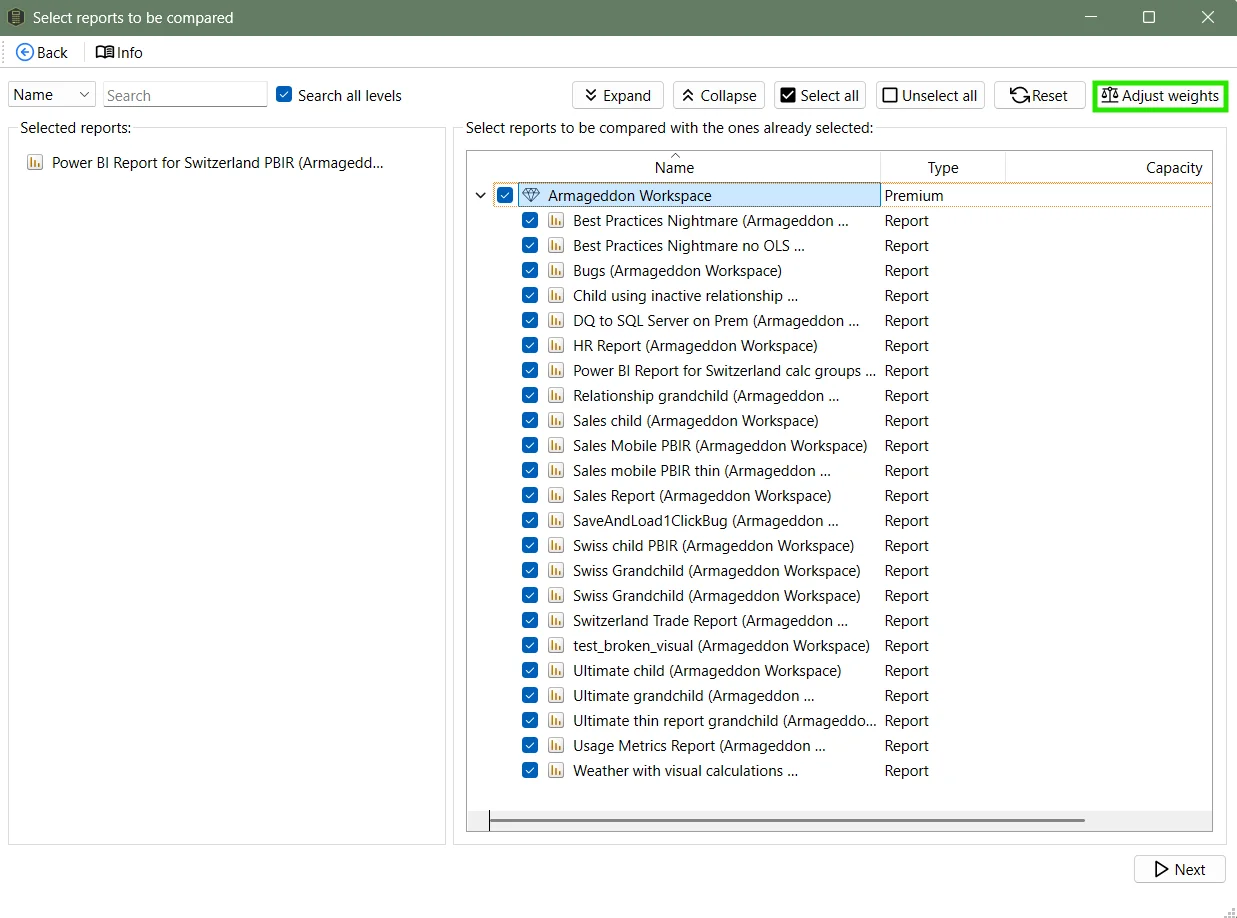
To change the weights or to disable some of the attributes that go into the score, click Adjust weights when selecting the reports:
Common workflows
- Find near-duplicates before a workspace cleanup. Run a tenant scan, open Report Similarity, and sort by score descending. Anything above 85% is worth investigating — the reports may be candidates for consolidation.
- Governance review. Check if teams are creating copies of governed reports instead of using the originals. High similarity between a “golden” report and a user’s personal copy is a red flag.
- Post-migration validation. After migrating reports to a new workspace or converting from PBIX to PBIR, run similarity to confirm nothing was lost.
Related
- Semantic model similarity — the companion view that scores semantic model similarity
- Run a tenant scan — prerequisite for report similarity
- End-to-end data lineage in Power BI — trace columns and measures from source to visual