 Measure Killer
Tenant settings audit
Every Power BI and Fabric admin setting in the tenant — export, sharing, developer policies and more — in one searchable view, without the admin portal.
Last updated · June 26, 2026
What you get
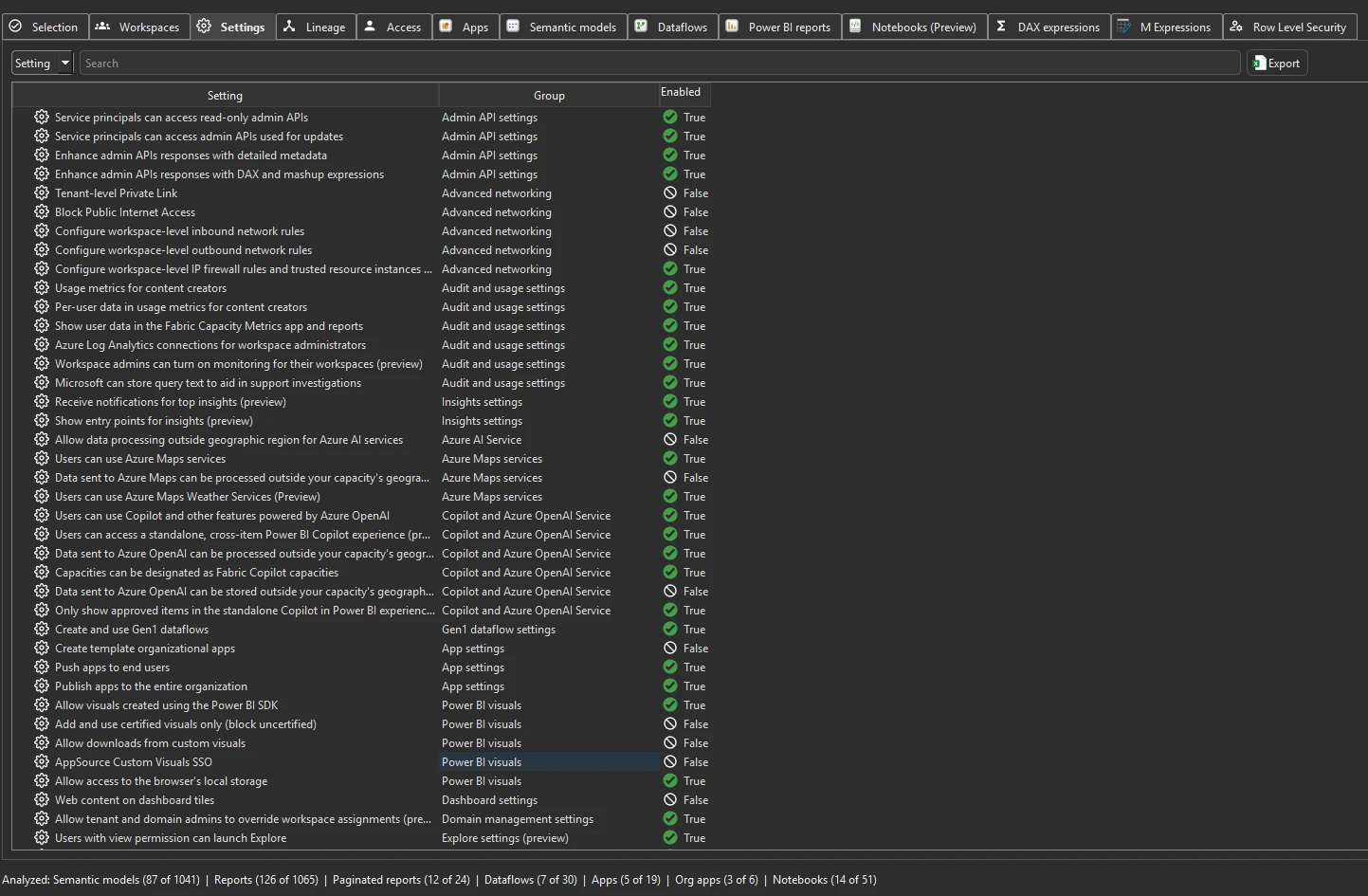
Every tenant-level Power BI and Fabric admin setting pulled from the admin API — export policies, sharing policies, developer settings, capacity assignments, embed settings, and more. This gives you a snapshot of how the tenant is configured without opening the admin portal.
For each setting you see three columns:
- Setting — the name as it appears in the admin portal
- Group — the category the setting belongs to (e.g. Admin API settings, Audit and usage settings, Advanced networking)
- Enabled — True or False, whether the setting is turned on
Enabled security groups (new in v2.9.5)
Many tenant settings aren’t simply on or off for the whole tenant — they’re scoped to specific security groups. Where a setting is restricted this way, expand its row to reveal an Enabled Security Groups breakdown: each group the setting applies to, listed by name together with its Graph ID (the Entra object ID). That shows you exactly which groups a sensitive capability is enabled for, and gives you the group’s object ID to cross-reference in Entra.
Run the analysis
- Run a tenant-wide scan with a Fabric Admin account — the Settings tab populates automatically after Phase 1.
- Switch to the Settings tab.
- Use the search bar to find specific settings by name or group.
Common workflows
- Compliance audit. Search for settings related to export, sharing, or external access. Verify that sensitive data controls match your organization’s policies — e.g. that “Export to Excel” or “Publish to web” is restricted to the right groups.
- Pre-migration snapshot. Before migrating to Fabric or changing tenant policies, export the current settings as a baseline. Compare after the migration to confirm nothing changed unexpectedly.
- Onboarding a new admin. Hand a colleague the
.measurekillerfile — they can browse every tenant setting without admin portal access, making it easier to understand how the tenant is configured. - Track changes over time. Run periodic scans and compare the Settings export to catch unintended policy changes — especially in multi-admin environments where settings may be changed without coordination.
What to do with the findings
- Export to Excel — click Export in the toolbar to export the full settings inventory to Excel for compliance reviews or configuration baselines.
- Export as JSON — paid editions can also export as raw JSON for integration with compliance tools or configuration management systems.
- Share the
.measurekillerfile — hand the scan to a security or compliance team member who can review settings without needing admin access themselves.
Related
- Run a tenant-wide scan — the scan that populates the Settings tab
- Tenant summary — aggregate counts of items affected by these settings