 Measure Killer
Unused objects in Analysis Services models (SSAS & AAS)
Run used/unused analysis on SQL Server and Azure Analysis Services Tabular models — see what's referenced before a migration, so you move only what's used.
Last updated · October 20, 2026
SSAS requires SQL Server 2019 or later. Measure Killer supports SSAS Tabular on SQL Server 2019 and later only — SQL Server 2017, 2016 and earlier are not supported. Azure Analysis Services is fully supported.
Connected reports are only found automatically for tenant admins. This is a major limitation of the Analysis Services mode, for both SSAS and AAS. Measure Killer discovers the Power BI reports, semantic models and paginated reports connected to your Analysis Services model only when you run it as a Power BI tenant / Fabric administrator (the Admins tile). In the Developers tile there is no automatic discovery at all, so you have to add every connected report manually. A report you leave out is invisible to the analysis, and anything only that report uses shows up as unused. Running it as tenant admin or adding the reports manually are the only two options.
What you get
Measure Killer doesn’t only analyse Power BI semantic models — it runs the same used/unused, where-used analysis against Analysis Services Tabular models, both:
- SSAS — SQL Server Analysis Services (on-premises, SQL Server 2019 or later)
- AAS — Azure Analysis Services
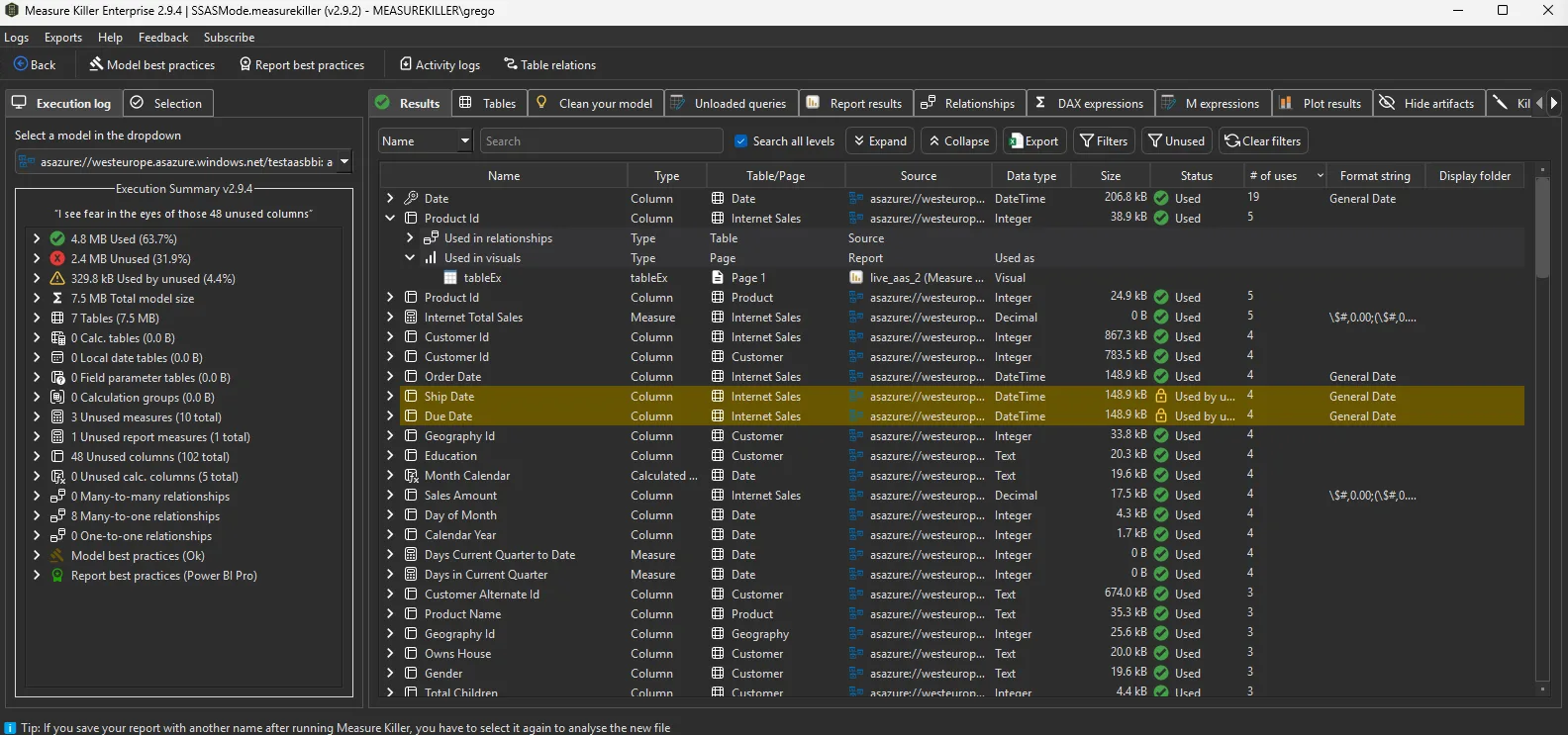
For every column, measure, and table in the model you get the same output as a Power BI semantic model scan: a used/unused status, a count of references, and the full where-used breakdown showing exactly which objects depend on each one.
Tabular only. Measure Killer analyzes Tabular Analysis Services models. Multidimensional (cube) models are not supported.
Why this matters for migrations
This is the headline use case. When you migrate off Analysis Services — to Power BI semantic models, to a Fabric / Direct Lake model, or to consolidate several models into one — the worst thing you can do is lift-and-shift everything. Years of accumulated columns, measures and tables come along for the ride, most of which nothing uses anymore.
Run Measure Killer against the source AS model first and you get a precise inventory of what’s actually used. Then you migrate only what earns its place. The result:
- A smaller, cleaner target model from day one
- Faster refreshes and lower memory / capacity cost on the new platform
- Far less to validate and document, because you’re not carrying dead objects forward
- A defensible record of why each object was kept or dropped
It’s the same principle as optimizing a Power BI semantic model — applied to the model you’re leaving behind, so the migration starts lean.
How it works
On the Measure Killer welcome screen, pick the Analysis Services SSAS and AAS mode. It appears as a tile under both the Developers and the Admins group — which one you choose determines how connected reports are discovered (see below).
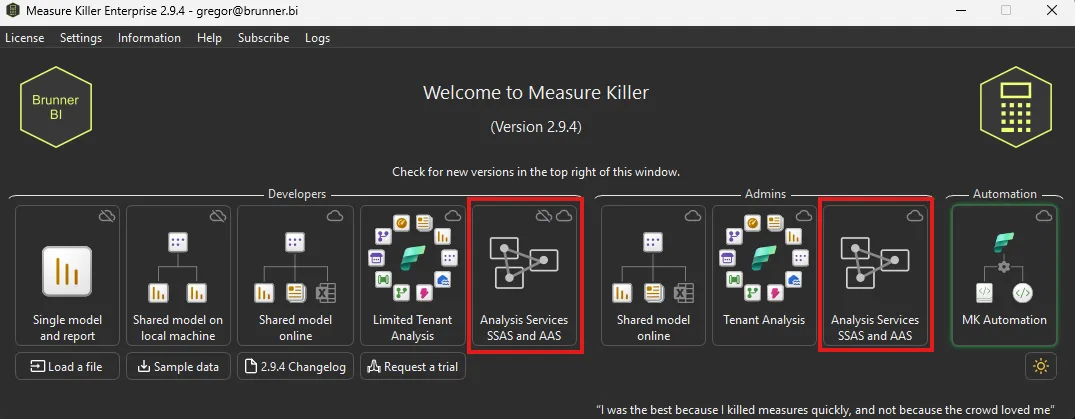
- Pick the Analysis Services SSAS and AAS tile.
- Point it at the model:
- SSAS — enter the server name of the local Analysis Services instance and pick the database (SQL Server 2019 or later).
- AAS — connect via the model’s XMLA endpoint
(
asazure://...) and authenticate.
- Run the analysis. Measure Killer reads the model metadata — tables, columns, measures, relationships, and the report or downstream usage it can see — and produces the used/unused result set.
- Review the Results / where-used view: sort by used vs unused, expand any object to see exactly what references it, and use that as your migration scoping list.
- Remove what’s unused. Cleanup on Analysis Services models is more manual than on Power BI — generate a C# script to strip out unused DAX artifacts, or export the list and work through it in your modeling tool. See Clean up an Analysis Services model.
Finding the connected reports
How Measure Killer discovers what consumes the model depends on your permissions:
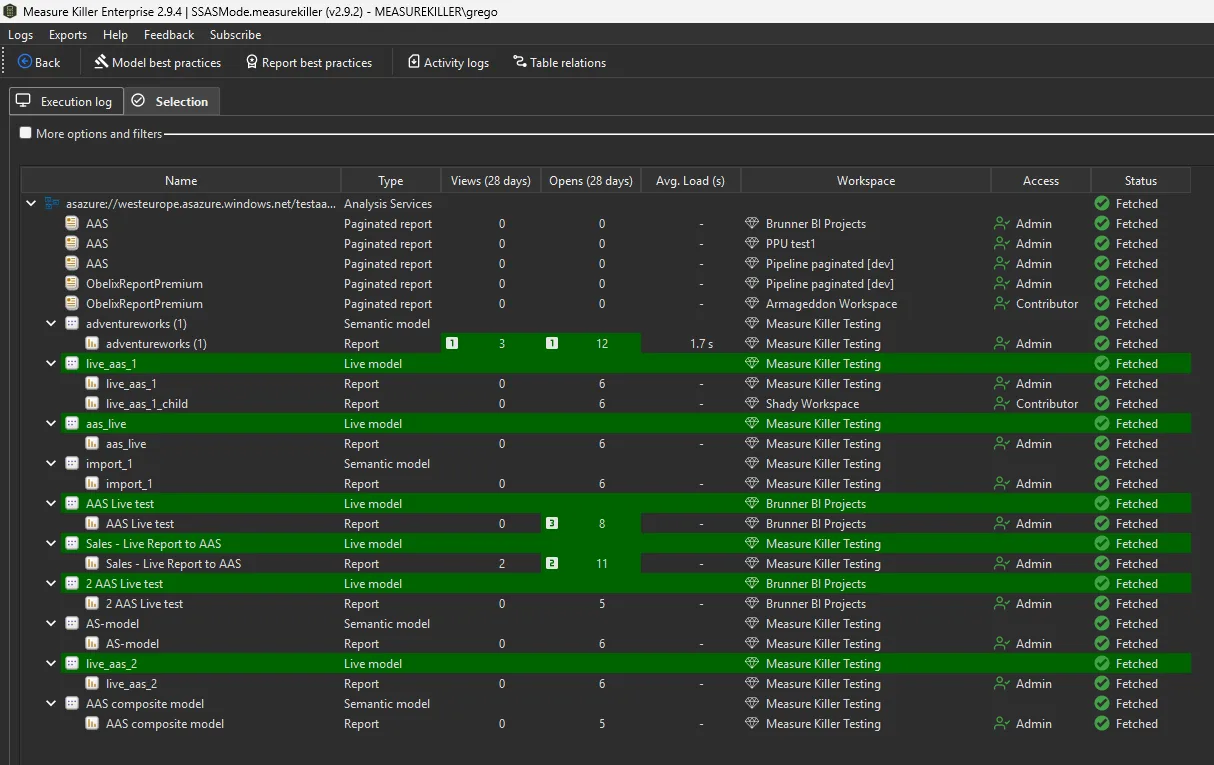
- Tenant / Fabric admins — Measure Killer finds every connected Power BI semantic model, report, and paginated report across the tenant automatically, then works out what each one uses from the Analysis Services model. Nothing to gather by hand.
- Without admin rights (Developers tile) — there is no automatic
discovery, so you supply every connected report yourself:
drag and drop the
.pbix(or report) files into Measure Killer and it analyzes usage against those. This is the path to use when you can’t (or don’t need to) scan the whole tenant — point it at the specific reports you care about.
Common workflows
- Pre-migration scoping. Before moving a model off SSAS/AAS, scan it to produce the definitive list of used objects. Migrate only those.
- Decommissioning audit. Before retiring an Analysis Services model entirely, confirm what still consumes it and what’s already dead.
- Periodic cleanup. For AS models you’re keeping, run the analysis periodically to catch objects that have fallen out of use as reports change.
Related
- Clean up an Analysis Services model — what to do with the unused list: generate a C# script or export it
- Find and remove unused measures and columns — the same analysis for Power BI semantic models
- Data lineage — how where-used fits the broader lineage picture
- Compatibility — supported sources, models and features