 Measure Killer
M Expressions — tenant-wide search
Every M / Power Query expression from every scanned model and dataflow — searchable across data sources, table names, transformations, and connection strings.
Last updated · September 10, 2026
What you get
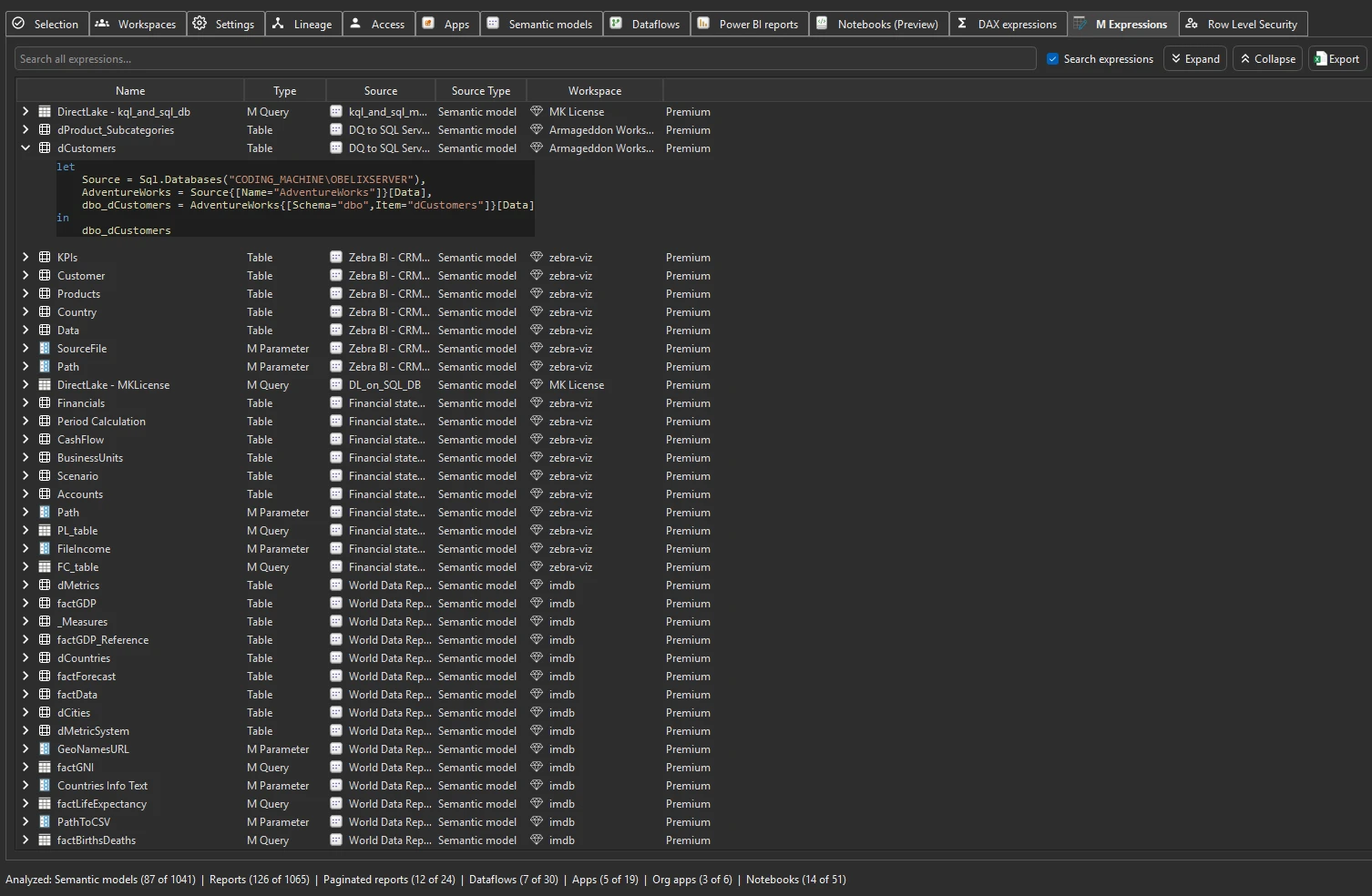
Every M / Power Query expression from every scanned semantic model and dataflow — browsable and filterable. Search for specific data source references, table names, transformation functions, or connection strings across all models and dataflows in the tenant.
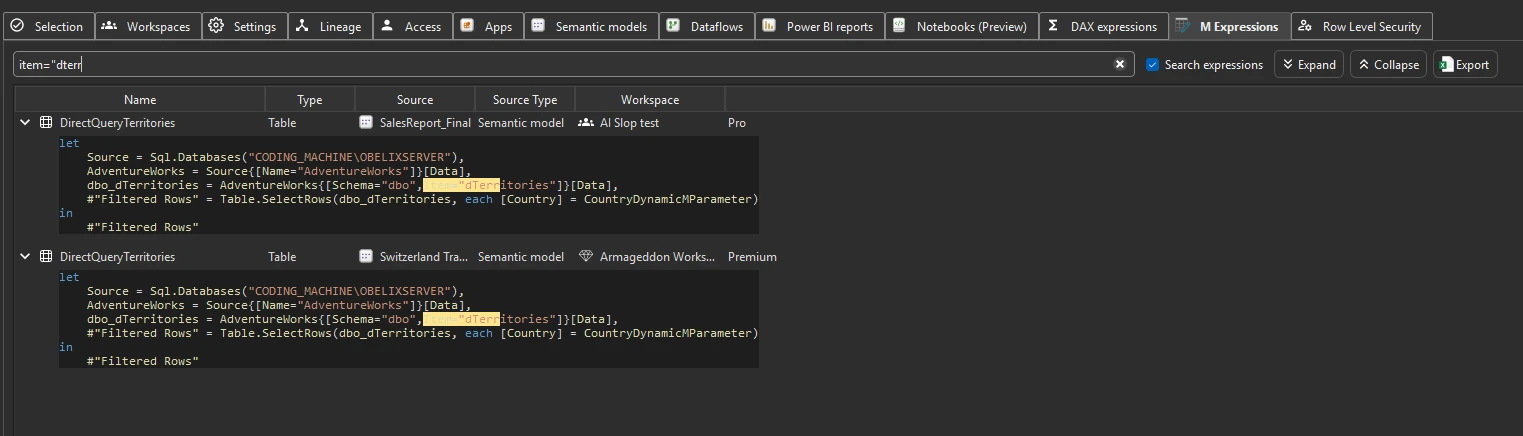
Run the analysis
- Run a tenant-wide scan and complete Phase 2 by selecting items and clicking Analyze.
- Switch to the M Expressions tab.
- Use the search bar to find specific data sources, table names, or M functions across all Power Query code.
Common workflows
- Find every model and dataflow that references a data source. Search for a server name, database name, or connection string fragment to find every item that connects to it. This is the fastest way to build a migration or retirement plan for a data source.
- Audit connection strings. Search for connection patterns (e.g.
Server=,Source=,Catalog=) to inventory how models and dataflows connect to backends. Useful for finding hardcoded credentials or non-parameterized connections. - Find specific table or view references. Search for a SQL table or view name to find every model and dataflow that queries it — critical before renaming or dropping database objects. See Plan a database schema change.
- Discover transformation patterns. Search for M functions like
Table.TransformColumnTypes,Table.AddColumn, orTable.ExpandRecordColumnto understand how data is shaped across the tenant. - Compare M code across models. When multiple models connect to the same source, compare their M code to find inconsistencies — different filters, different column selections, or different transformation logic applied to the same data.
What to do with the findings
- Export to Excel — click Export in the toolbar to export all M expressions to Excel for offline review or migration planning.
- Export as JSON — paid editions can also export as raw JSON for downstream analysis, documentation, or migration planning.
- Share the
.measurekillerfile — hand the scan to a colleague for review.
Related
- DAX expressions — the same tenant-wide search for DAX code
- Dataflows inventory — the dataflows whose M code appears here
- End-to-end data lineage in Power BI — item-level dependency graph
- Plan a database schema change — the workflow that uses M expression search
- Run a tenant-wide scan — the scan that populates this tab