 Measure Killer
DAX expressions — tenant-wide search
Search every DAX measure, calculated column, and table expression across all scanned models — find function calls, references, duplicates, and violations.
Last updated · July 15, 2026
What you get
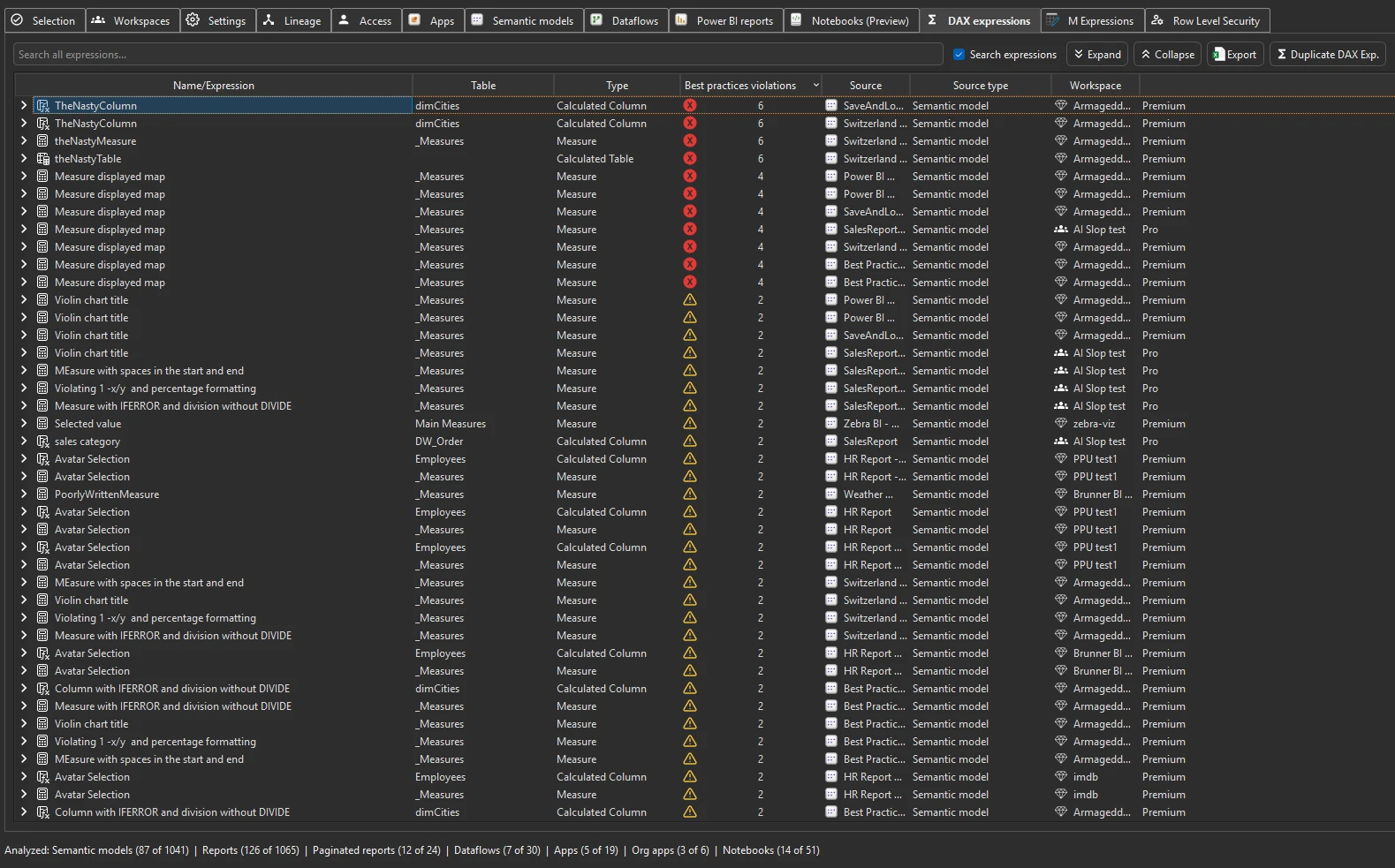
Every DAX measure, calculated column, and calculated table expression
from every scanned semantic model — browsable and filterable. Use the
search bar to find specific function calls (e.g. USERELATIONSHIP),
table references, or variable names across the entire tenant’s DAX
codebase in seconds.
To follow any measure’s columns downstream — to the reports and individual visuals that display them — pair this with Measure Killer’s column-level data lineage.
Violations and duplicates
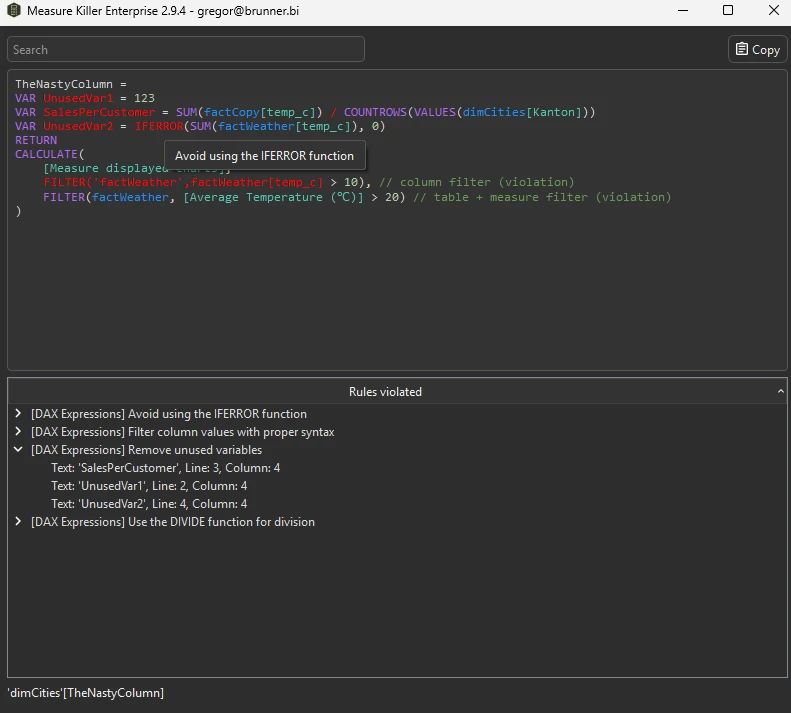
The DAX expressions view also highlights best-practice violations and duplicate expressions:
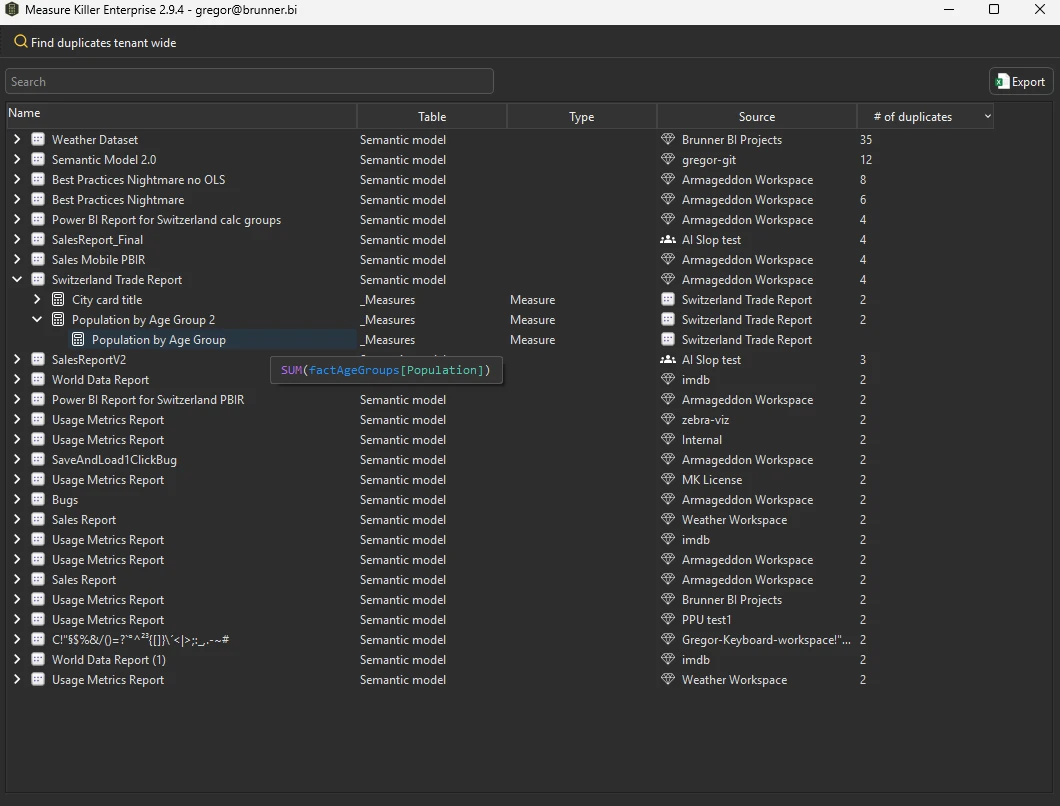
Duplicate detection surfaces measures with identical DAX definitions within and across models — a strong signal that models could be consolidated or that a shared model should be used instead.
Run the analysis
- Run a tenant-wide scan and complete Phase 2 by selecting models and clicking Analyze.
- Switch to the DAX expressions tab.
- Use the search bar to find specific functions, table names, or patterns across all DAX code.
Common workflows
- Find broken DAX across the tenant. Since v2.9.5 the Semantic models tab has a # of DAX errors column — sort it to surface the models with failing expressions, then come here to locate and inspect the offending measures or calculated columns.
- Find every use of a specific DAX function. Search for
USERELATIONSHIP,CALCULATE,FILTER, or any other function to see where it’s used across the tenant. Useful for auditing anti-patterns or understanding how a function is applied. - Find duplicate measures across models. The duplicate detection highlights measures with identical definitions. These are candidates for consolidation — move the measure to a shared model or verify that the duplication is intentional.
- Audit for anti-patterns. Search for known anti-patterns like
IFERROR,FILTER(ALL(, or unqualified column references. The violations view highlights these automatically when best-practice rules are enabled. - Impact analysis before renaming a table or column. Search for the current name to find every DAX expression that references it. This is the DAX-side complement to the column-level lineage view.
- Standardize DAX patterns. Search for variations of the same logic (e.g. different ways to calculate YTD) to identify inconsistencies across models.
What to do with the findings
- Export to Excel — click Export in the toolbar to export all DAX expressions to Excel for offline review or documentation.
- Export as JSON — paid editions can also export as raw JSON for downstream analysis, documentation, or AI-assisted review.
- Fix in Power BI — use the findings to identify what needs to change, then apply fixes in Power BI Desktop or via Remove unused objects.
- Share the
.measurekillerfile — hand the scan to a colleague for review.
Related
- Find broken visuals — where broken DAX surfaces for report consumers: visuals rendering errors instead of data
- Best-practice analysis — the rules behind DAX violation detection
- M Expressions — the same tenant-wide search for Power Query code
- Semantic models inventory — the models these expressions belong to
- Run a tenant-wide scan — the scan that populates this tab