 Measure Killer
How do I find and remove unused objects in an Analysis Services model (SSAS or AAS)?
Use the Analysis Services SSAS and AAS mode. Measure Killer finds every Power BI report and model that uses the Analysis Services model and marks each column and measure used or unused. Remove the unused ones with a generated C# script or from an exported list.
Last updated · November 6, 2026
Steps
- On the welcome screen, pick Analysis Services SSAS and AAS. Under Admin modes Measure Killer finds every connected report itself; under Developer modes you drag and drop the report files in (details).
- Connect: the server name and database for SSAS (SQL Server 2019 or
later), or the
asazure://XMLA endpoint for AAS. - Run the analysis and sort the results by used and unused. Expand an object to see what references it (details).
- Remove what is unused: generate a C# script for the unused measures, calculated columns and calculated tables and run it in a tool such as Tabular Editor, or export the list and work through it (details).
What you see
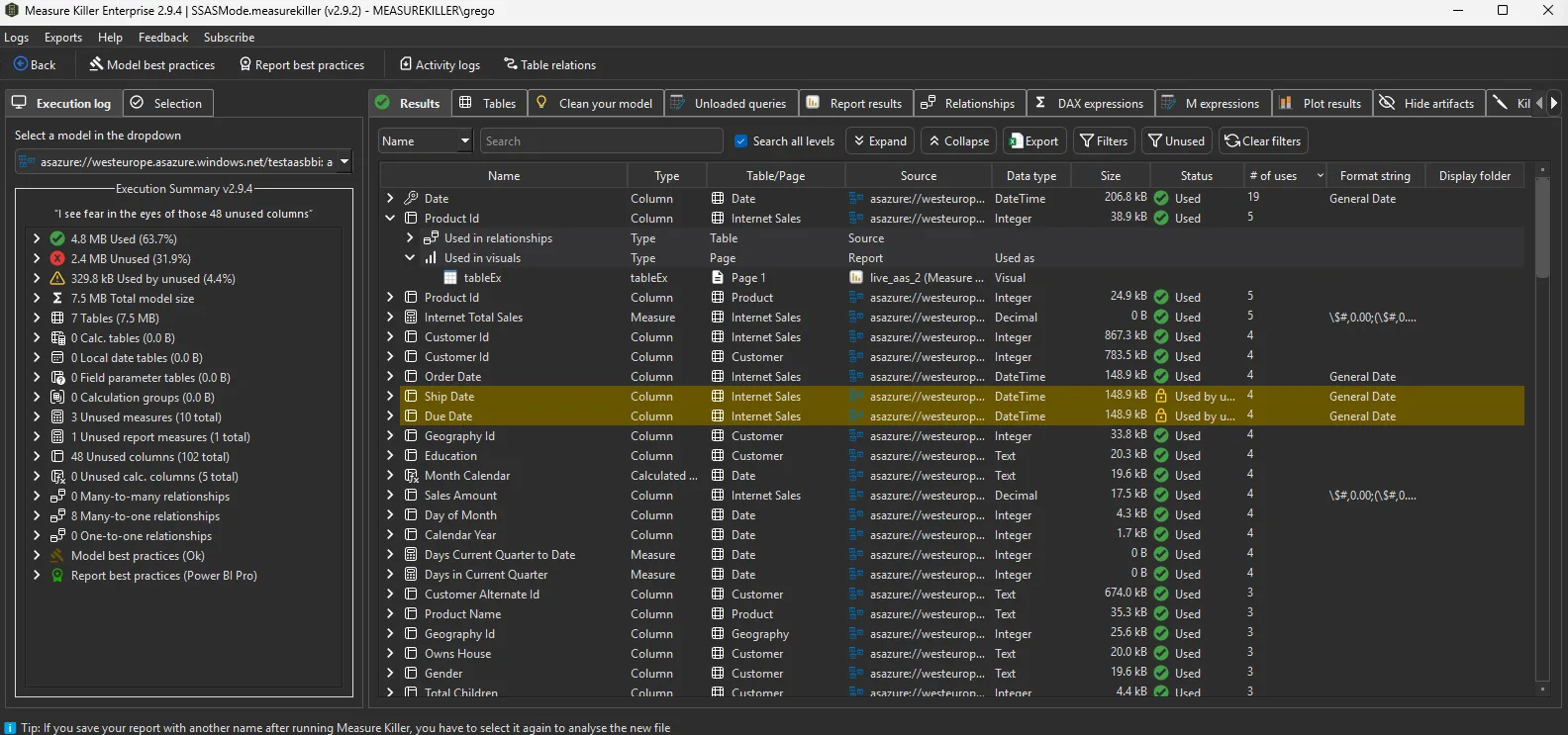
Go deeper
Something wrong or out of date on this page?