 Measure Killer
How do I find duplicate semantic models and reports in Power BI?
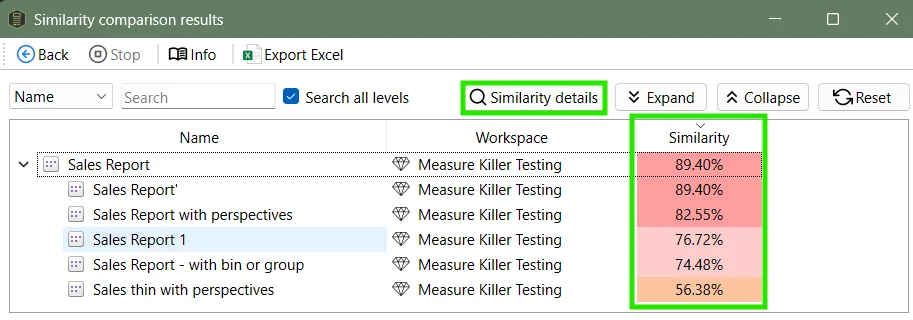
After a Tenant Analysis or Limited Tenant Analysis scan, click Model similarity or Report similarity in the toolbar. Every pair gets a similarity score, so the duplicates and near-duplicates worth consolidating come out on top.
Last updated · November 6, 2026
Steps
- Open Tenant Analysis or Limited Tenant Analysis (details).
- On the Selection tab, tick every model or report you want to compare and click Analyze. Items that were not analyzed do not take part.
- Click Model similarity or Report similarity in the toolbar.
- Pick the models or reports you want to find duplicates for, then the ones to compare them against (details).
- Sort by score and open a pair to see what matches and what differs (how to read it).
What you see
Go deeper
Something wrong or out of date on this page?