 Measure Killer
How do I find unused tables and columns in a Lakehouse, Warehouse or Fabric SQL Database?
Open the Lakehouse, Warehouse, Fabric SQL Database mode, pick the items and let Measure Killer find every semantic model, dataflow, report and paginated report that reads from them. Tables and columns none of them use are your cleanup candidates. Consumers outside Power BI are not tracked, so check those before you drop anything.
Last updated · November 6, 2026
Steps
- On the welcome screen, click Lakehouse, Warehouse, Fabric SQL Database. Use the tile under Admin modes if you need to be sure nothing outside your own workspaces depends on the data (which tile?).
- Tick the Lakehouses, Warehouses or SQL Databases, then keep every workspace ticked that Measure Killer should search for consumers (details).
- Click Analyze on the Selection tab.
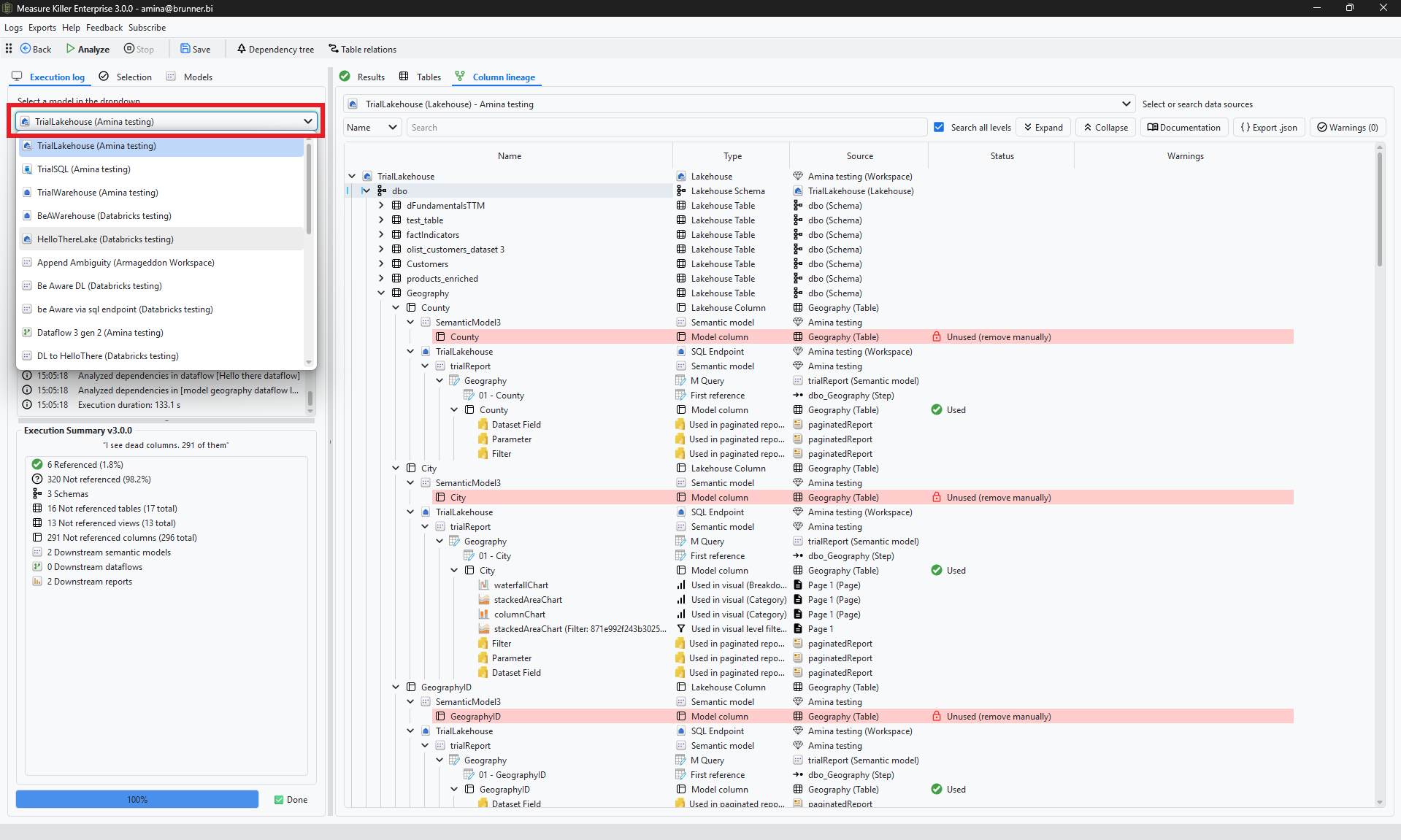
- Read the Execution Summary: referenced and not referenced tables, views and columns, and how many models, dataflows and reports read from the item (details).
- Open the Results tab and click Unused for the columns nothing uses. Export takes the list to Excel.
- Before you drop a table or column, expand it in the Column lineage tab to see exactly what reads it (details). Then drop it in the Lakehouse, Warehouse or database itself.
What counts as used
Measure Killer tracks what Power BI uses: semantic models (Import, DirectQuery and Direct Lake), dataflows, reports and paginated reports, down to the visuals and filters. Excel files connected to those models can count too, but that takes extra work: collecting the files and adding them to the analysis (details).
Anything that reads the data outside Power BI is not tracked: notebooks, pipelines, SQL queries, other tools and applications. Dependencies between lakehouses, warehouses and notebooks show at item level only (details). Check those before you drop anything.
What you see
Go deeper
Something wrong or out of date on this page?