 Measure Killer
How do I see every report subscription and who receives it?
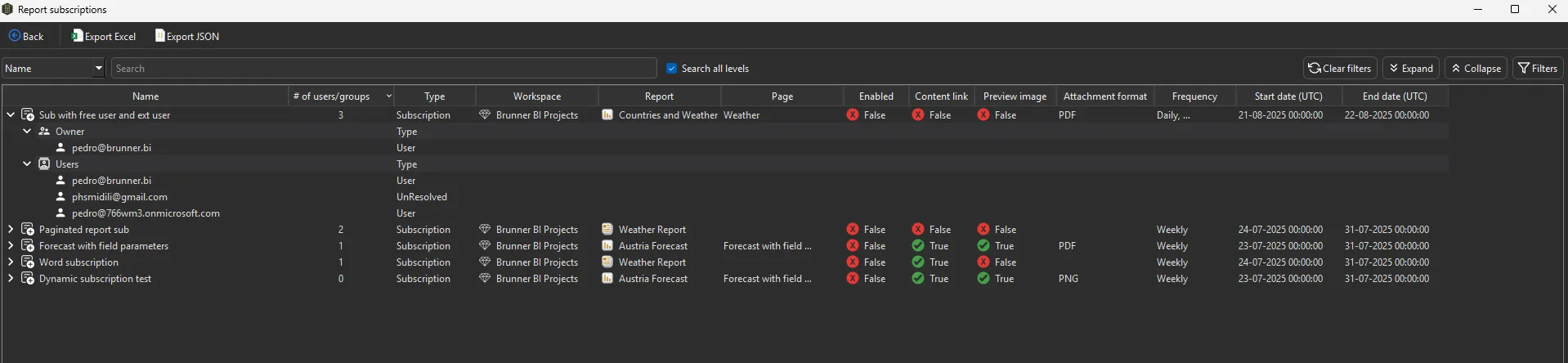
Turn on report subscriptions in the admin filters before a Tenant Analysis scan, then click Subscriptions on the Power BI reports tab. Every subscription for Power BI and paginated reports is listed with its owner and every recipient.
Last updated · November 6, 2026
Steps
- Open Tenant Analysis with a Fabric Admin account and turn on report subscriptions in the filters (details).
- Tick the reports and click Analyze.
- On the Power BI reports tab, click Subscriptions.
- Expand a subscription for its owner and every recipient. UnResolved entries are external, guest or free accounts the service could not match to a user in your tenant.
- Search with Search all levels to find everything one person receives.
What you see
Go deeper
Something wrong or out of date on this page?