 Measure Killer
How do I find deprecated visuals like Map, Filled map or Q&A, or every visual of one type?
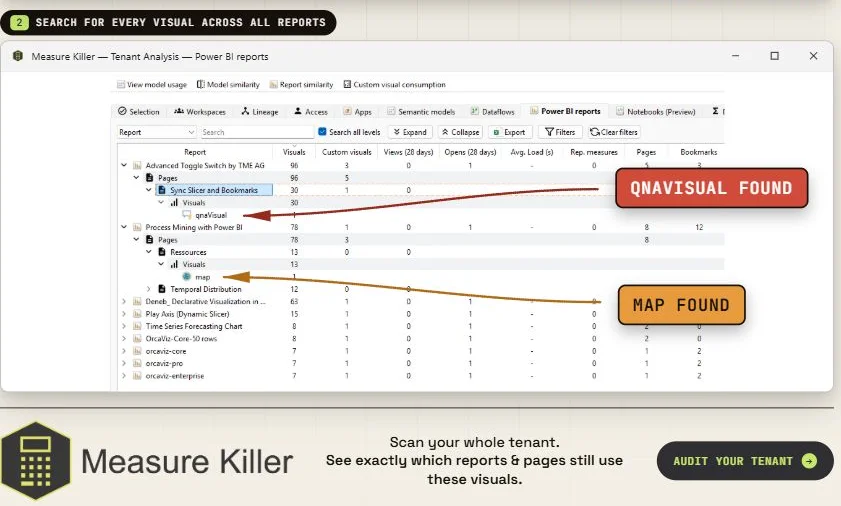
On the Power BI reports tab of a Tenant Analysis scan, filter with Exact match for the visual type, for example map, filledMap or qnaVisual. Every instance is listed with its report and page, so you know what to replace before Microsoft removes it.
Last updated · November 21, 2026
Steps
- Run Tenant Analysis or Limited Tenant Analysis and click Analyze on the reports you want to search (details).
- Open the Power BI reports tab.
- Click Filters, choose Exact match and search for the visual type,
for example
maporfilledMap. Exact match keeps out lookalikes such asazureMaportreemap(details). - Every instance is listed with its report and page. Export the list as your migration plan.
- The same search finds any visual type, for design standards or before a change (examples).
What you see
Go deeper
Something wrong or out of date on this page?