 Measure Killer
How do I review all Power BI and Fabric tenant settings in one place?
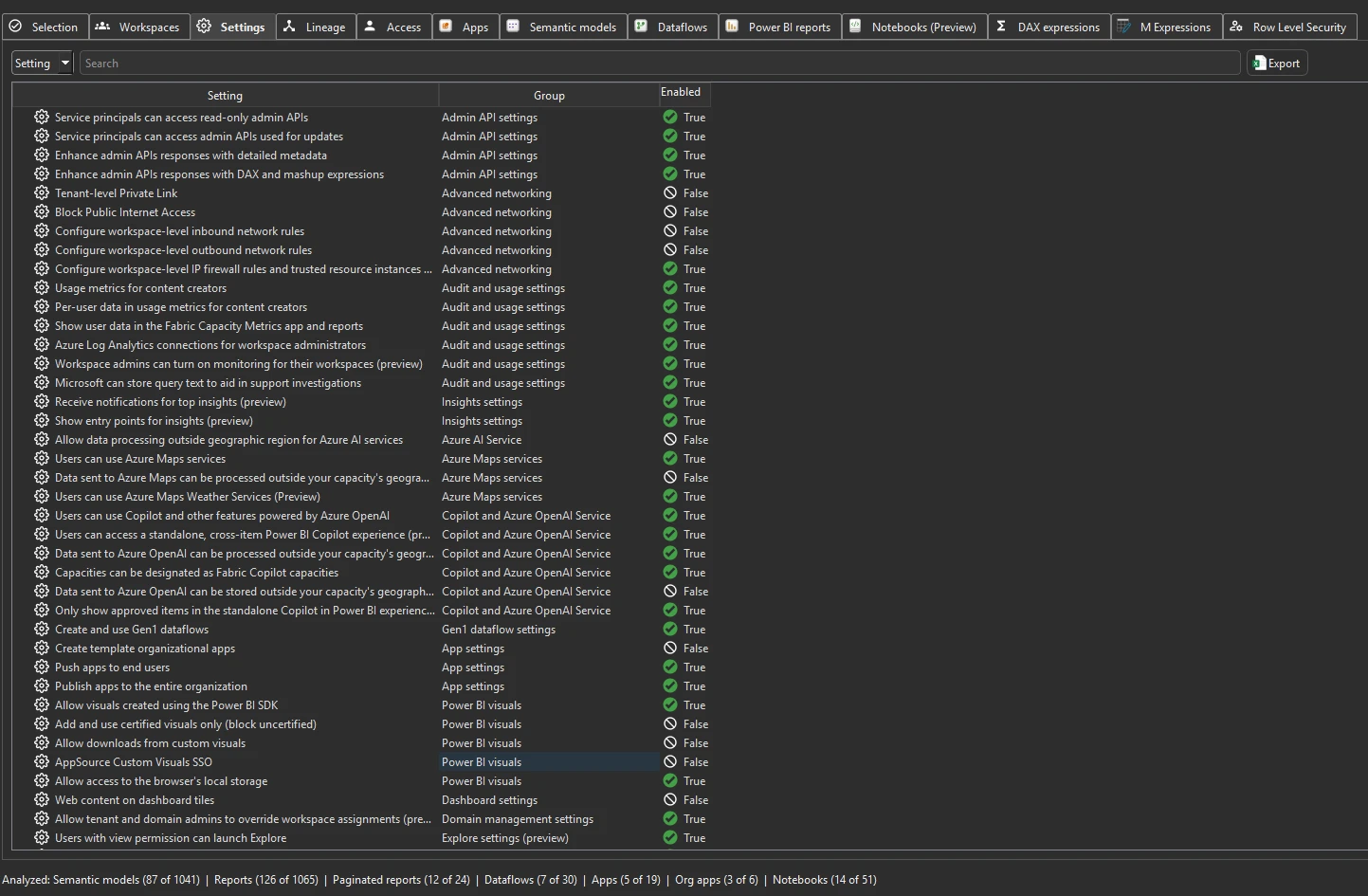
Run Tenant Analysis with a Fabric Admin account and open the Settings tab. It lists every tenant setting with its group and whether it is enabled, and for settings scoped to groups, which security groups.
Last updated · November 6, 2026
Steps
- Open Tenant Analysis with a Fabric Admin account. The Settings tab fills after the inventory pass (details).
- Search for a setting by name or group, for example
export,publish to weborexternal. - Expand a setting scoped to groups to see the Enabled Security Groups, each with its ID.
- Save the scan to keep a snapshot, and compare it with the next one to see what changed.
What you see
Go deeper
Something wrong or out of date on this page?