 Measure Killer
How do I get an inventory of everything in my Power BI and Fabric tenant?
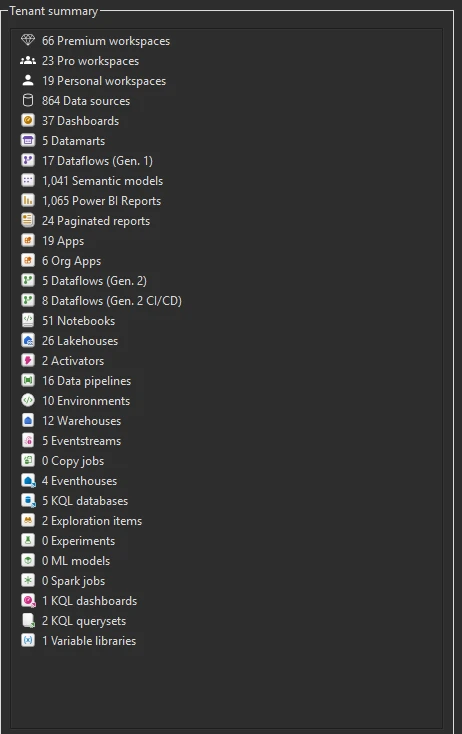
Run Tenant Analysis. After the inventory pass, which takes minutes, the Tenant summary counts every workspace and item type, and the Workspaces tab lists each workspace with its owners, items, capacity and last activity.
Last updated · November 20, 2026
Steps
- Open Tenant Analysis with a Fabric Admin account. Untick nothing in the workspace filters if you want the full count.
- Let the inventory pass (Phase 1) finish. No deep scan is needed (details).
- Read the Tenant summary panel: every workspace type, every Power BI item type and every Fabric item type, counted (details).
- Open the Workspaces tab for each workspace with its owners, users, items, capacity and last activity. Sort it to find empty or abandoned workspaces (details).
- Save the scan as a
.measurekillerfile to reopen it later without scanning again. The file opens only in the Measure Killer version that saved it, so after an update, run a new scan.
What you see
Go deeper
Something wrong or out of date on this page?