 Measure Killer
How do I see which semantic models use Import, DirectQuery or Direct Lake?
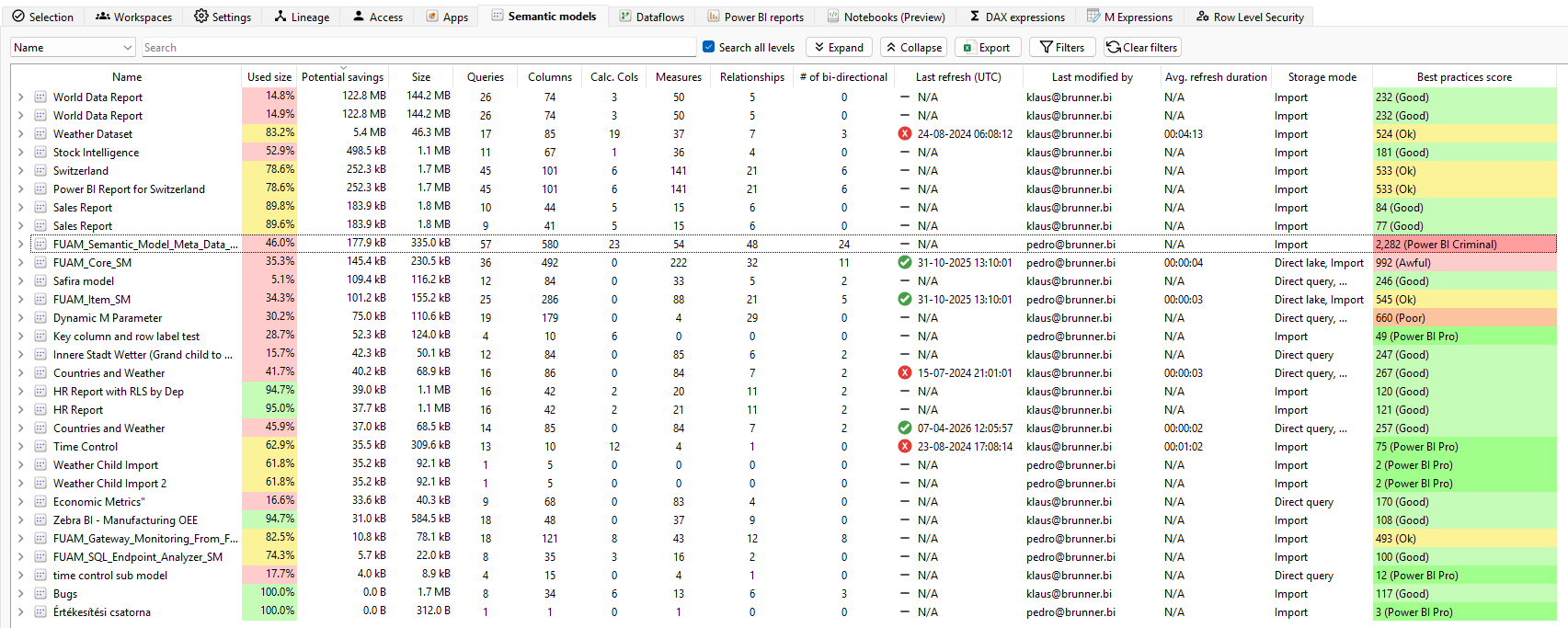
Run Tenant Analysis on the models and filter the Storage mode column on the Semantic models tab. Read it next to size, CU (s) and the load times of the reports, because a slow report on a DirectQuery model often points to the source, not the model.
Last updated · November 9, 2026
Steps
- Run Tenant Analysis or Limited Tenant Analysis, tick the models and click Analyze (details).
- On the Semantic models tab, filter or sort the Storage mode column: Import, DirectQuery, Dual or Direct Lake (details).
- Read it next to the other columns:
- Compare with the Average load time of the reports on each model (details).
What you see
Go deeper
Something wrong or out of date on this page?