 Measure Killer
How do I find implicit measures in my Power BI reports?
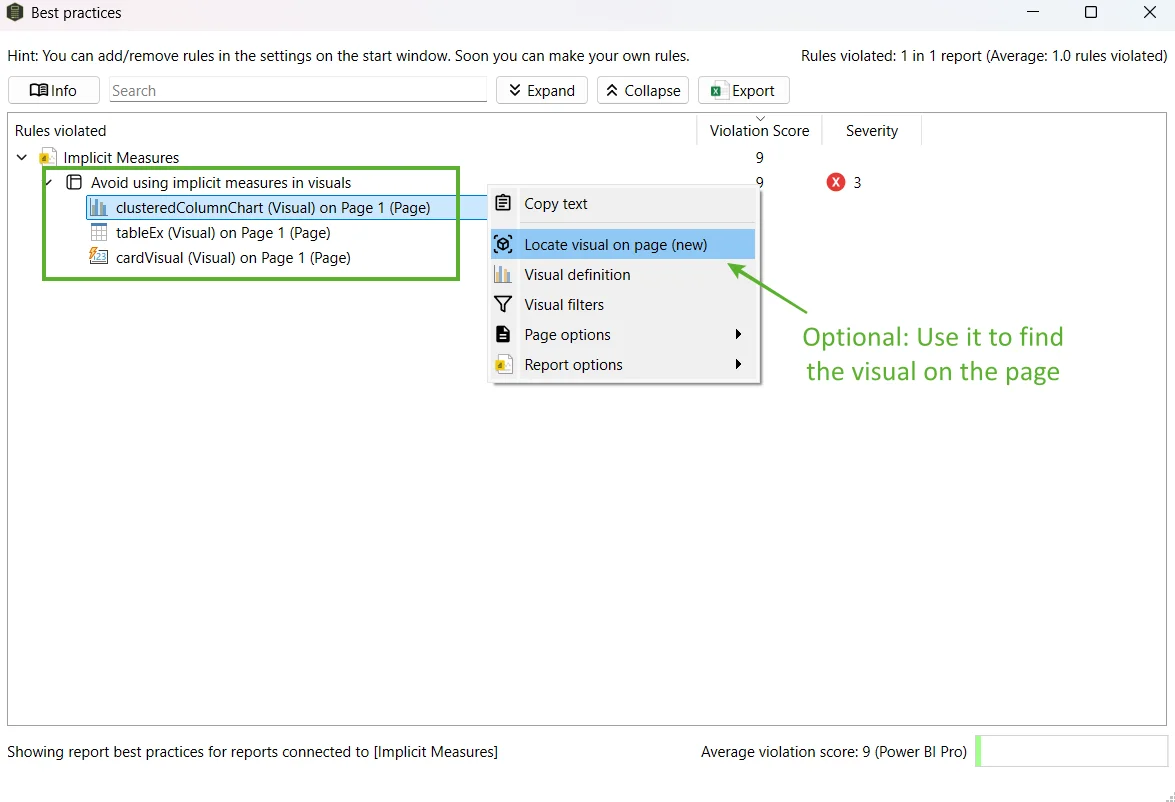
Scan the report with Measure Killer and open Report best practices. The Implicit measures rule lists every visual that aggregates a column directly instead of using a measure, with its page and column.
Last updated · November 6, 2026
Steps
- Open the report in Power BI Desktop, pick Single model and report and click Analyze (details). For reports in the Service, run an online scan instead.
- Click Report best practices in the toolbar.
- Expand the Implicit measures rule. Every offender is listed with its visual, page and column.
- Replace each one with an explicit measure. Direct Lake models do not support implicit measures at all, so do this before a migration.
What you see
Go deeper
Something wrong or out of date on this page?