 Measure Killer
How do I audit report-level measures: where they are, who built them and what their DAX does?
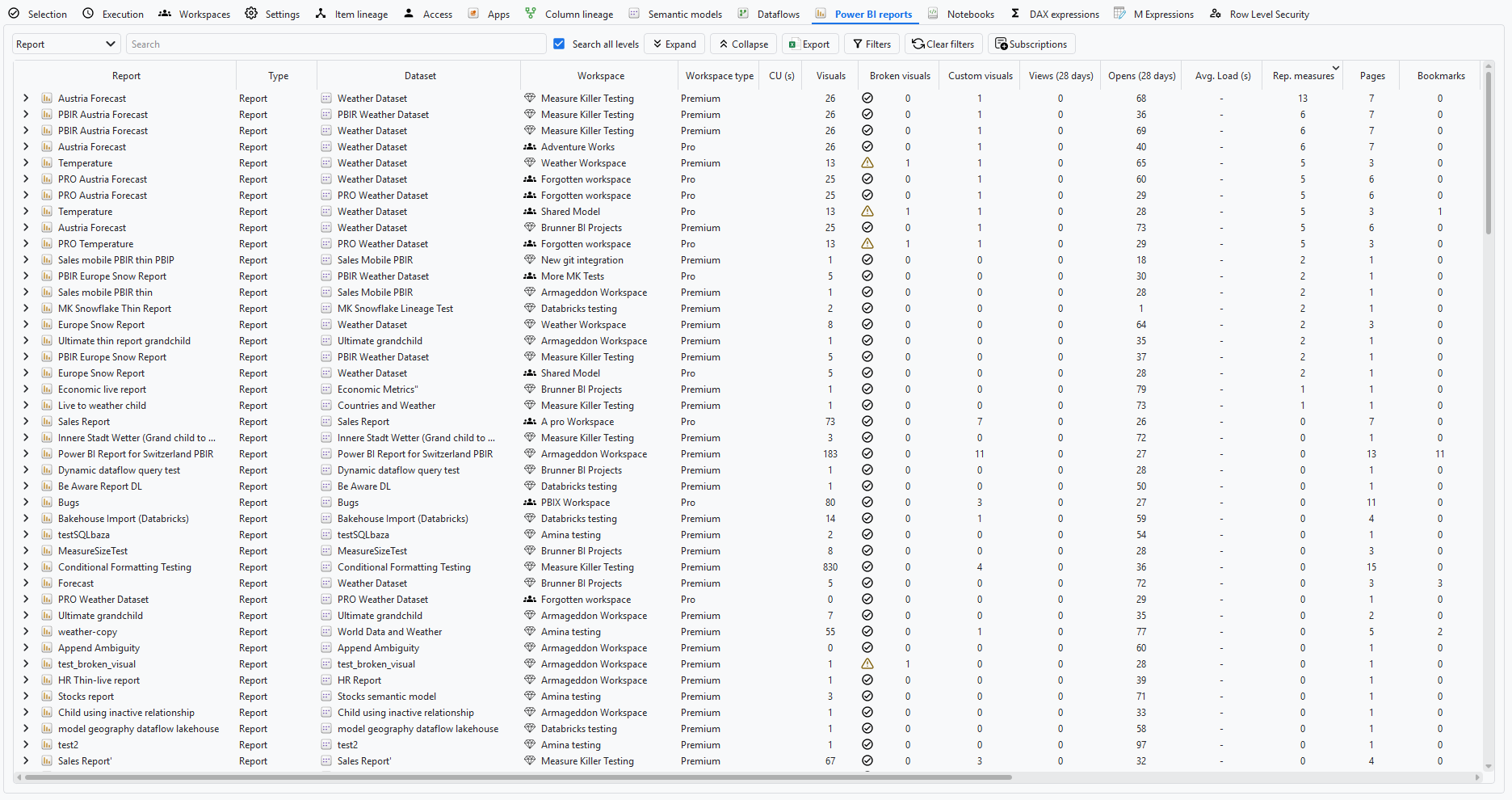
Run Tenant Analysis on the reports and sort the Report-level measures column on the Power BI reports tab. Each report shows its workspace, owner and how many measures live in the report instead of the model, and you can read each measure's DAX to decide whether it belongs in the model.
Last updated · November 18, 2026
Steps
- Run Tenant Analysis or Limited Tenant Analysis, tick the reports, or the models whose reports you want, and click Analyze (details).
- On the Power BI reports tab, sort Rep. measures descending. These measures live in the report, not in the model, so no other report can reuse them (details).
- Each row shows where the report lives and who owns it and last changed it.
- Expand the report to see its report-level measures, and read the DAX of each one in the DAX expressions tab (details).
- Decide per measure: move it into the model if other reports need the same number, or remove it if nothing uses it.
What you see
Why it matters
A KPI defined in a report is invisible to every other report and to the model owner. Two reports can show the same KPI with different numbers, and a model change can break a report-level measure nobody knew about. See Find duplicate DAX to check that the same KPI is calculated the same way.
Go deeper
Something wrong or out of date on this page?