 Measure Killer
How do I see who has access to a Power BI workspace, report or semantic model?
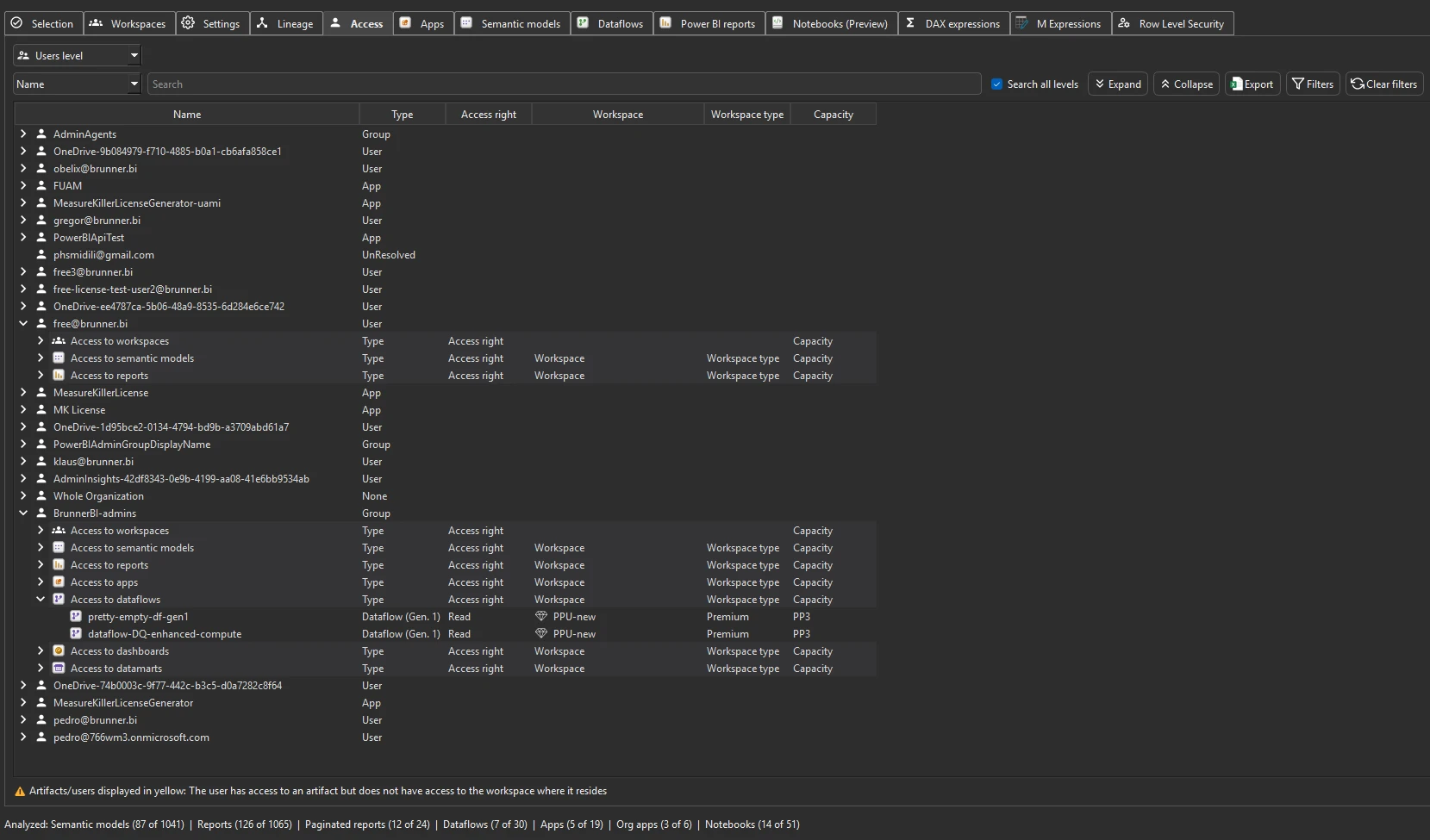
Run full Tenant Analysis with a Fabric Admin account and open the Access tab. It lists every user, group and service principal with their role on every workspace and item, with AD / Entra groups expanded.
Last updated · November 6, 2026
Steps
- Open Tenant Analysis and sign in with a Fabric Admin account.
- Let the inventory pass finish. The Access tab fills from it, no deep scan needed (details).
- Open the Access tab.
- Use the filter row to narrow it down by user, group, workspace or item.
- To change access rather than audit it, use Workspace access in the toolbar to add or remove a user or group across many workspaces at once (details).
What you see
Go deeper
Something wrong or out of date on this page?