 Measure Killer
How do I find every report and visual that uses a measure or column?
Scan the semantic model with Shared model online to see every report, paginated report, Excel file and downstream model that uses each measure and column. For a single file open in Power BI Desktop, the free edition shows the same down to the visual.
Last updated · November 6, 2026
Steps
- On the welcome screen, pick Shared model online for a model in the Power BI Service, or Single model and report for a file open in Power BI Desktop (free) (which tile?).
- Sign in and tick the semantic model, then click Next and Analyze.
- In the result, find the measure or column with the search bar.
- Expand its row: you see every connected report, paginated report, Excel consumer and downstream model that uses it, down to the page and visual (details).
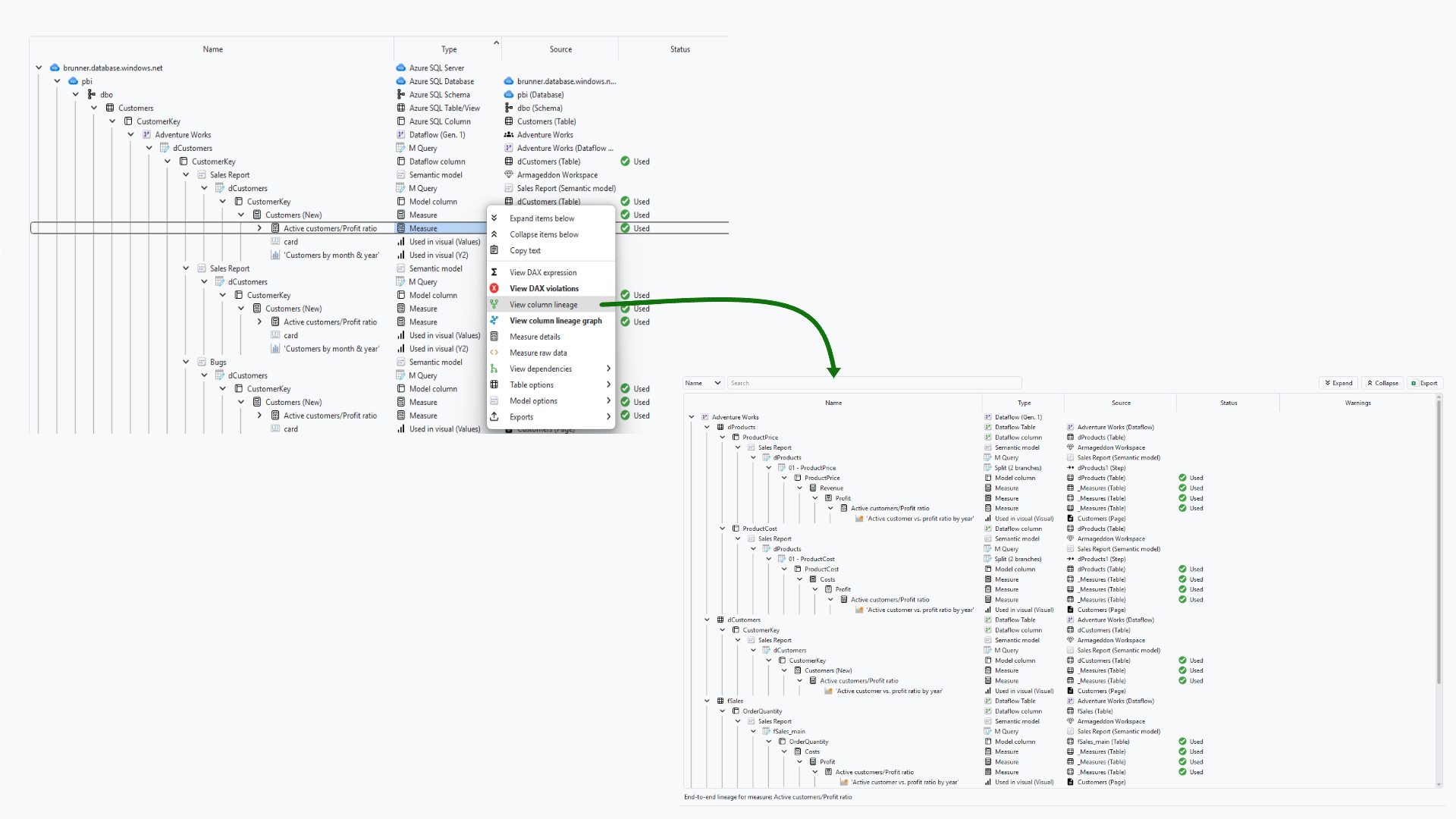
- To see the whole chain, right-click the measure and pick View column lineage. It walks back to the columns and Power Query steps the measure reads from, and on to every visual that shows it (details).
What you see
Go deeper
Something wrong or out of date on this page?