 Measure Killer
How do I find every semantic model and dataflow that connects to a data source?
Start Tenant Analysis from the data source and look at the Item lineage tab in the Data sources view. For sources Measure Killer does not trace yet, search the M expressions tab for the server, database or connection string.
Last updated · November 9, 2026
Steps
- Open Tenant Analysis or Limited Tenant Analysis.
- On the Selection tab, click Datasources, tick the server or database and click Analyze (details).
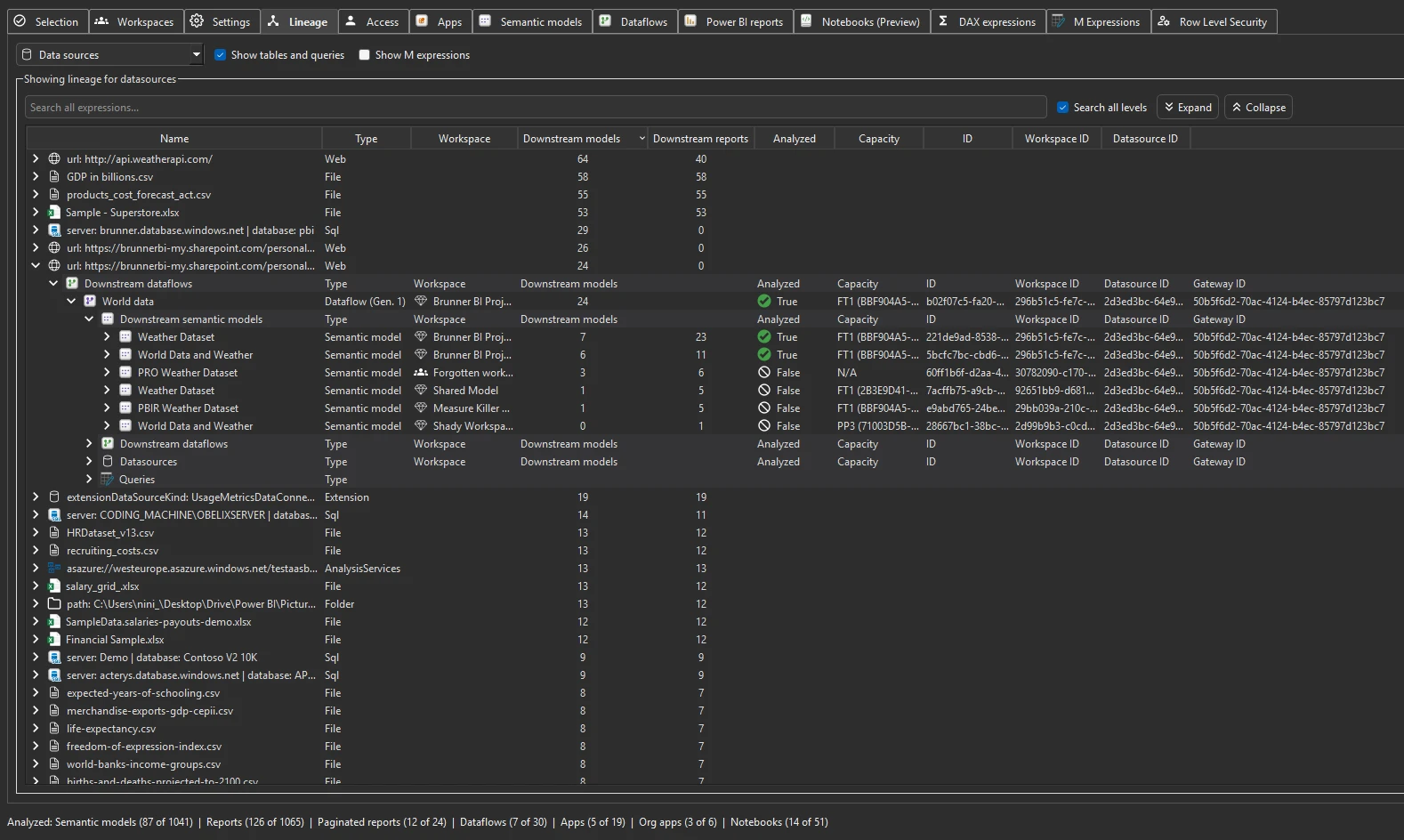
- Open the Item lineage tab and pick Data sources in the dropdown. Each source lists its dataflows, models and reports, with downstream counts (details).
- For a source without lineage support, open the M expressions tab and search for the server name, database name or part of the connection string. Every model and dataflow whose Power Query uses it appears (details).
In Limited Tenant Analysis, the lineage only shows the dependencies of items you selected before you clicked Analyze, and only in workspaces you can access. If a dataflow, model or report you expect is missing, go back to the Selection tab, tick it and analyze again.
What you see
Go deeper
Something wrong or out of date on this page?