 Measure Killer
How do I export the results of a tenant scan as JSON, for AI or a governance dashboard?
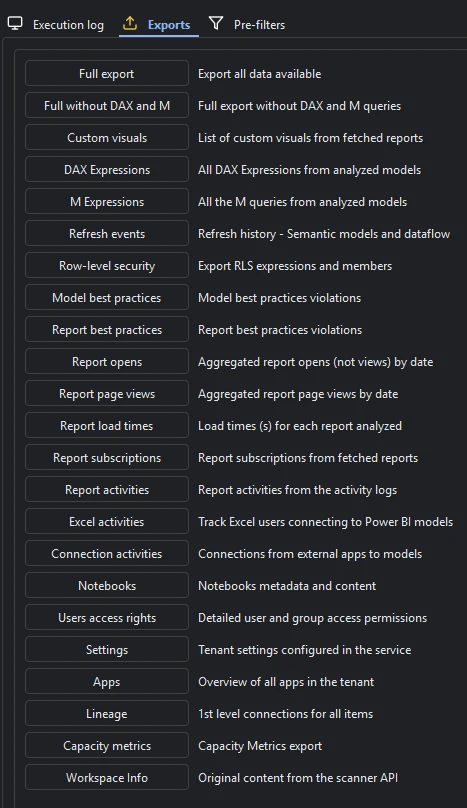
After a Tenant Analysis scan, open the Exports tab in the left sidebar. Every slice of the scan, from DAX and M to lineage, RLS, consumption and capacity metrics, can be written as raw JSON, or all of it at once with Full export.
Last updated · November 6, 2026
Steps
- Run Tenant Analysis or Limited Tenant Analysis and click Analyze on what you want in the export (details).
- Open the Exports tab in the left sidebar.
- Pick one slice, such as DAX expressions, lineage or refresh events, or Full export for everything in one bundle. Full without DAX and M gives a smaller file (every export).
- Choose the folder. The files are plain JSON, ready for a data warehouse, a Power BI governance report or an AI model.
- Want it on a schedule, written straight to Fabric tables? That is MK Automation.
What you see
Go deeper
Something wrong or out of date on this page?